Sample data
The examples in this tutorial use the gapminder dataset, which contains GDP per capita, life expectancy and population data for 142 countries across 12 years.
# install.packages("gapminder")
library(gapminder)

df <- gapminder
transition_time()
transition_time() animates the data across a continuous time variable. Pass the time column to the function and gganimate will interpolate frames between each value.
You also need the gifski package installed as the GIF renderer.
# install.packages("gganimate")
# install.packages("gifski")
library(ggplot2)
library(gganimate)
library(gapminder)

ggplot(gapminder, aes(x = gdpPercap, y = lifeExp,
                      size = pop, color = continent)) +
  geom_point(alpha = 0.7) +
  scale_x_log10() +
  scale_size(range = c(2, 12), guide = "none") +
  transition_time(year)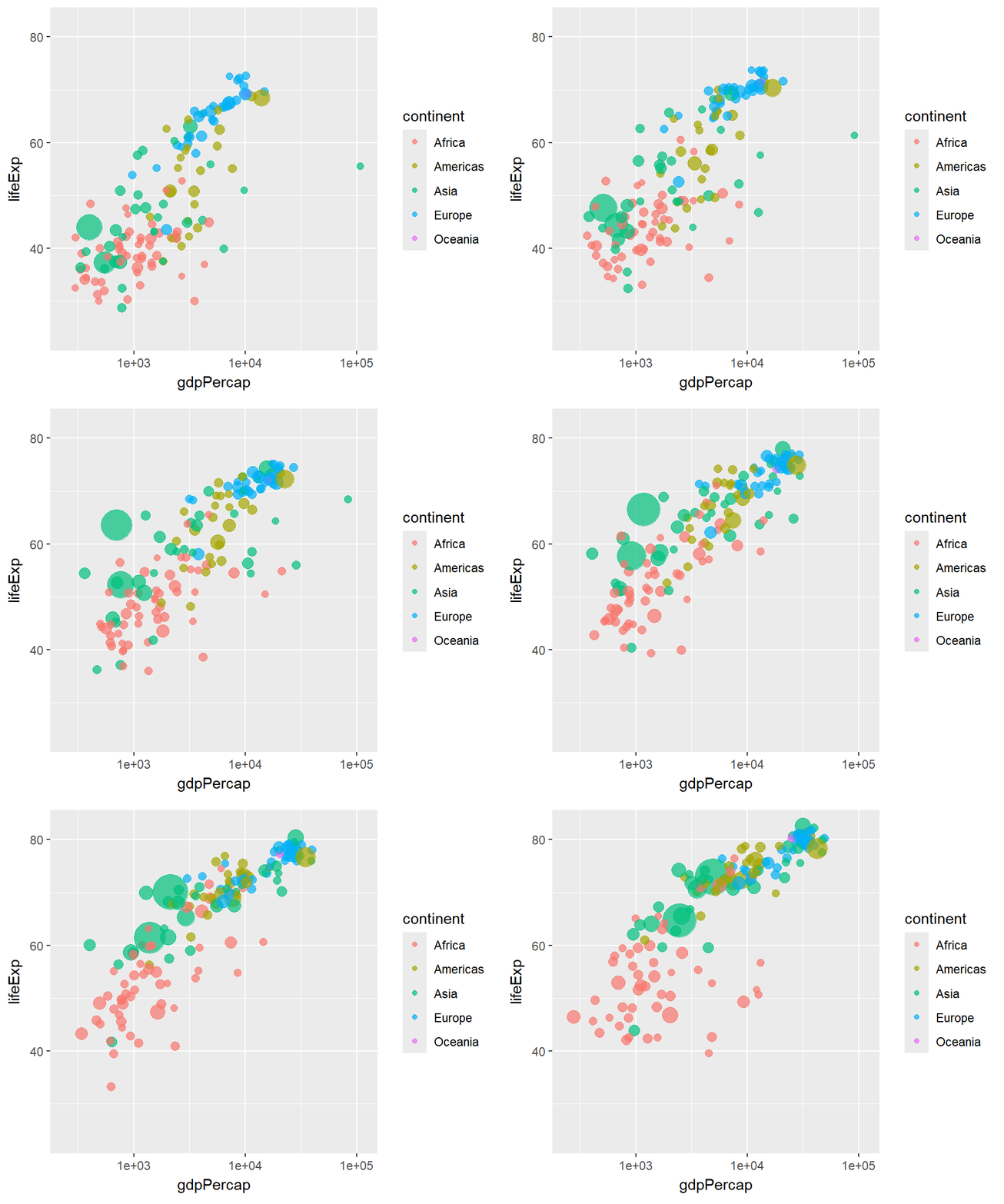
Showing the current frame value
Use {frame_time} inside labs() to display the current time value in the title or any other label. You can wrap it with round() to remove decimals.
library(ggplot2)
library(gganimate)
library(gapminder)

ggplot(gapminder, aes(x = gdpPercap, y = lifeExp,
                      size = pop, color = continent)) +
  geom_point(alpha = 0.7) +
  scale_x_log10() +
  scale_size(range = c(2, 12), guide = "none") +
  transition_time(year) +
  labs(title = "Year: {round(frame_time)}",
       x = "GDP per capita", y = "Life expectancy")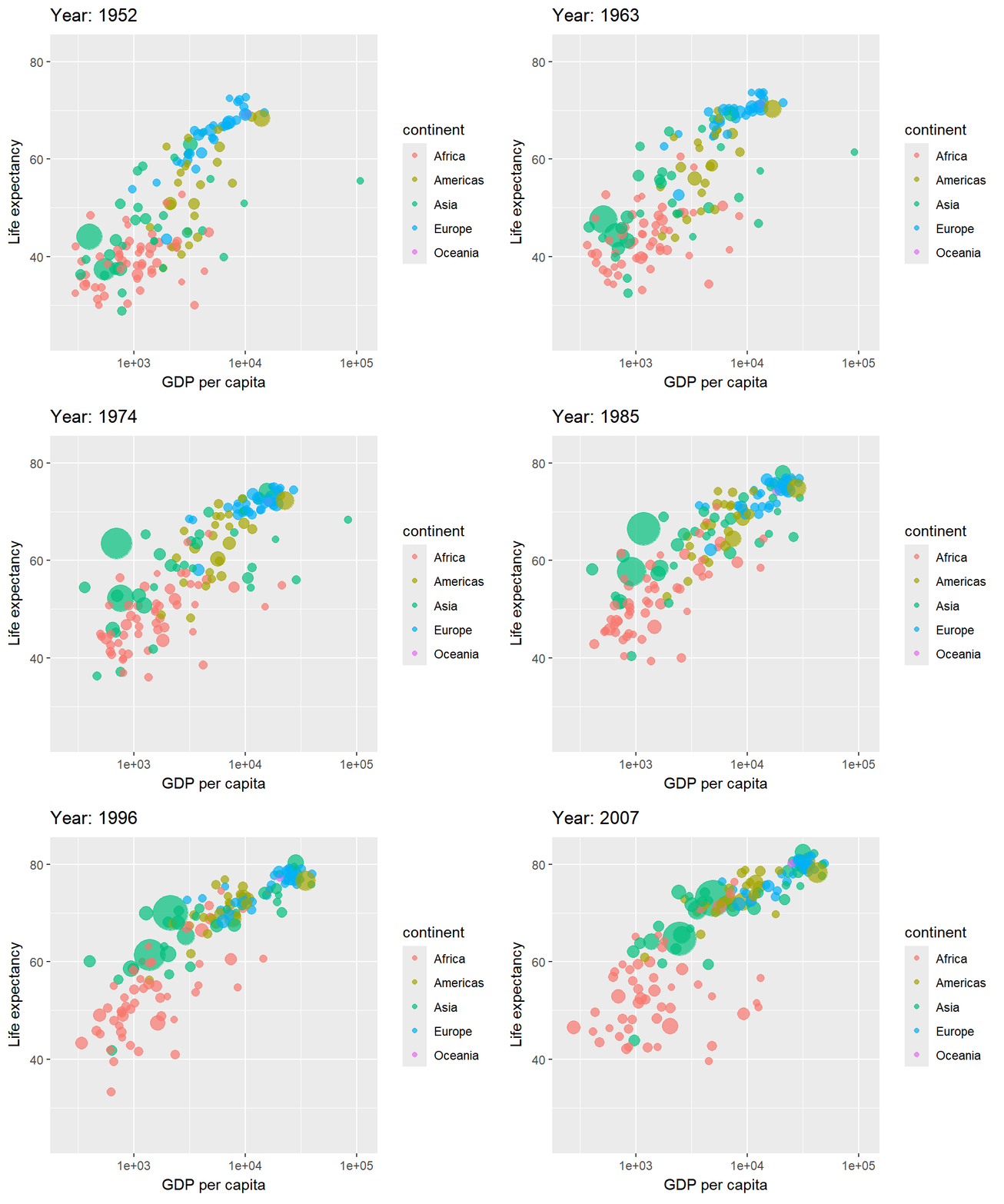
transition_states()
transition_states() is designed for discrete categories. It transitions between states defined by a grouping variable. Use {closest_state} in labs() to show the active state.
transition_length controls how long each transition takes and state_length how long each state is held.
# install.packages("dplyr")
library(dplyr)
library(ggplot2)
library(gganimate)
library(gapminder)

df <- gapminder %>%
  filter(year %in% c(1952, 1972, 1992, 2007)) %>%
  group_by(year, continent) %>%
  summarise(mean_life = mean(lifeExp))

ggplot(df, aes(x = continent, y = mean_life, fill = continent)) +
  geom_col() +
  transition_states(year,
                    transition_length = 2,
                    state_length = 1) +
  labs(title = "Year: {closest_state}") +
  theme_minimal() +
  theme(legend.position = "none")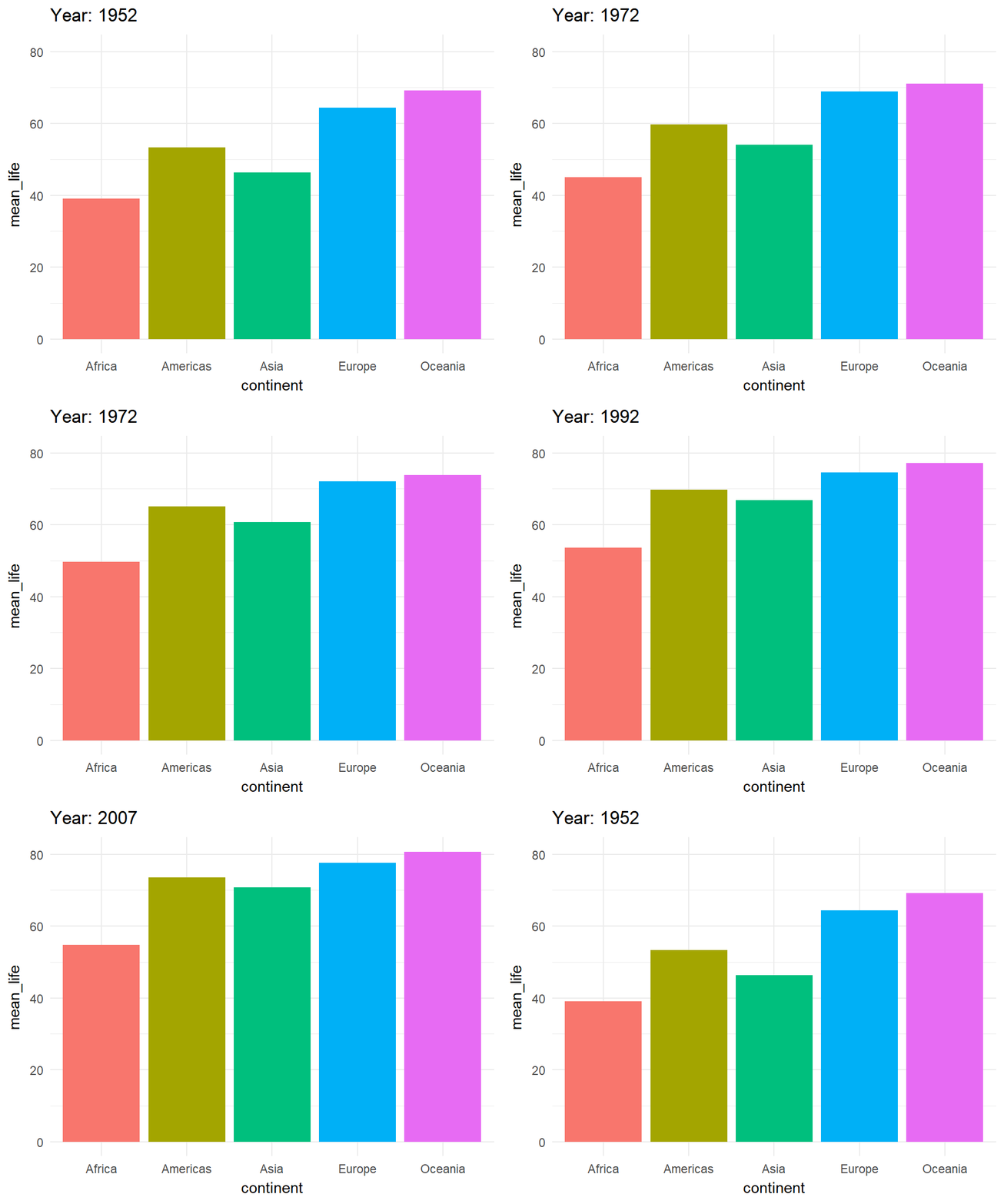
transition_reveal()
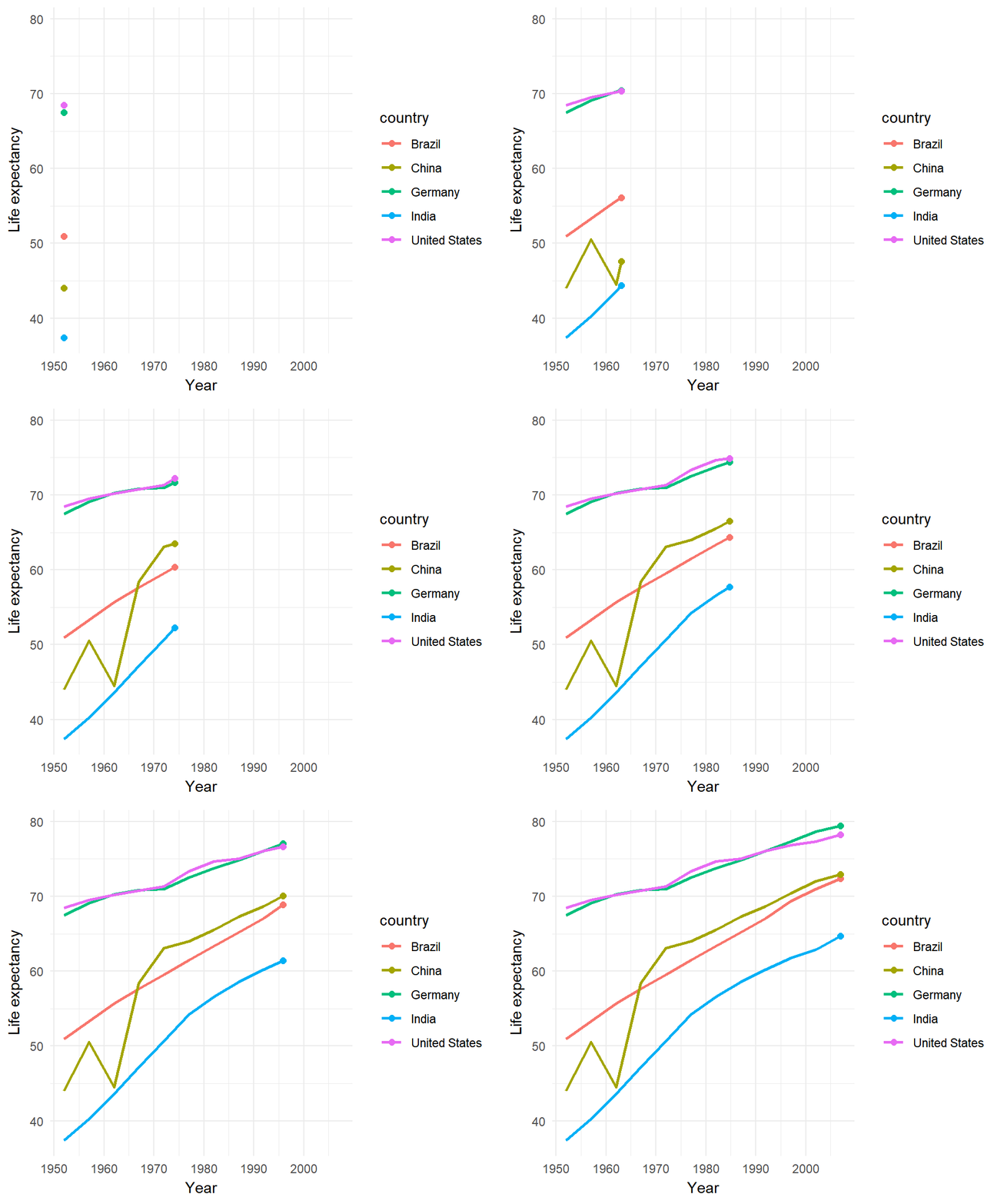
transition_reveal() progressively draws the data along an axis, keeping previously revealed data visible. It works best with geom_line() and geom_point().
library(dplyr)
library(ggplot2)
library(gganimate)
library(gapminder)

df <- gapminder %>%
  filter(country %in% c("United States", "China",
                         "India", "Germany", "Brazil"))

ggplot(df, aes(x = year, y = lifeExp,
               color = country, group = country)) +
  geom_line(linewidth = 1) +
  geom_point(size = 2) +
  transition_reveal(year) +
  labs(x = "Year", y = "Life expectancy") +
  theme_minimal()
shadow_mark()
shadow_mark() leaves permanent marks of all past frames. Combined with transition_time() it lets you see the full trajectory of the data as the animation progresses.
alpha and size control the appearance of the shadow marks.
library(ggplot2)
library(gganimate)
library(gapminder)

ggplot(gapminder, aes(x = gdpPercap, y = lifeExp,
                      size = pop, color = continent)) +
  geom_point(alpha = 0.7) +
  scale_x_log10() +
  scale_size(range = c(2, 12), guide = "none") +
  transition_time(year) +
  labs(title = "Year: {round(frame_time)}") +
  shadow_mark(alpha = 0.1, size = 0.5)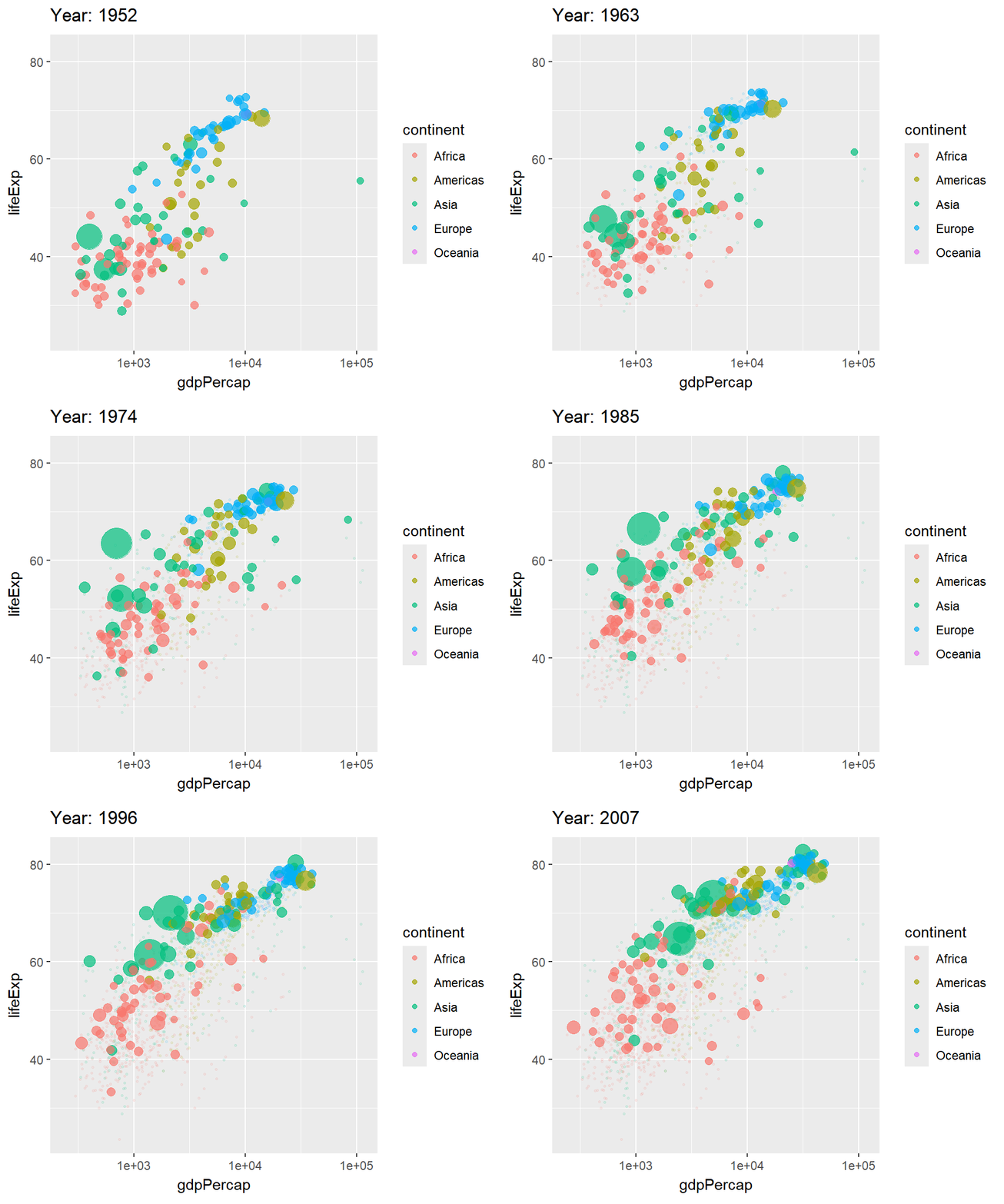
ease_aes()
ease_aes() controls how values interpolate between frames. The default is "linear", but you can use any of the options below to change the feel of the animation.
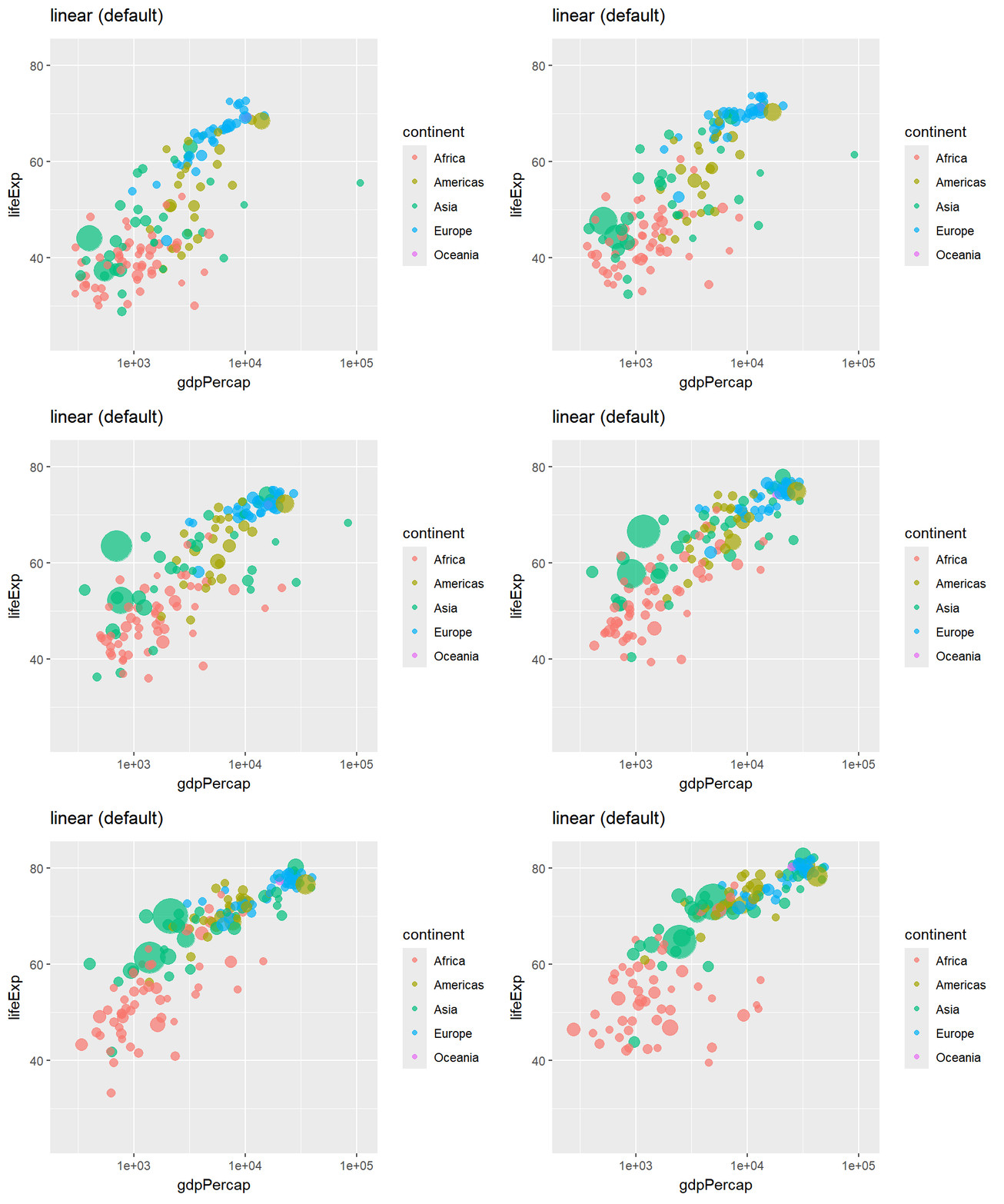
"linear" (default)
library(ggplot2)
library(gganimate)
library(gapminder)

ggplot(gapminder, aes(x = gdpPercap, y = lifeExp,
                      size = pop, color = continent)) +
  geom_point(alpha = 0.7) +
  scale_x_log10() +
  scale_size(range = c(2, 12), guide = "none") +
  transition_time(year) +
  ease_aes("linear")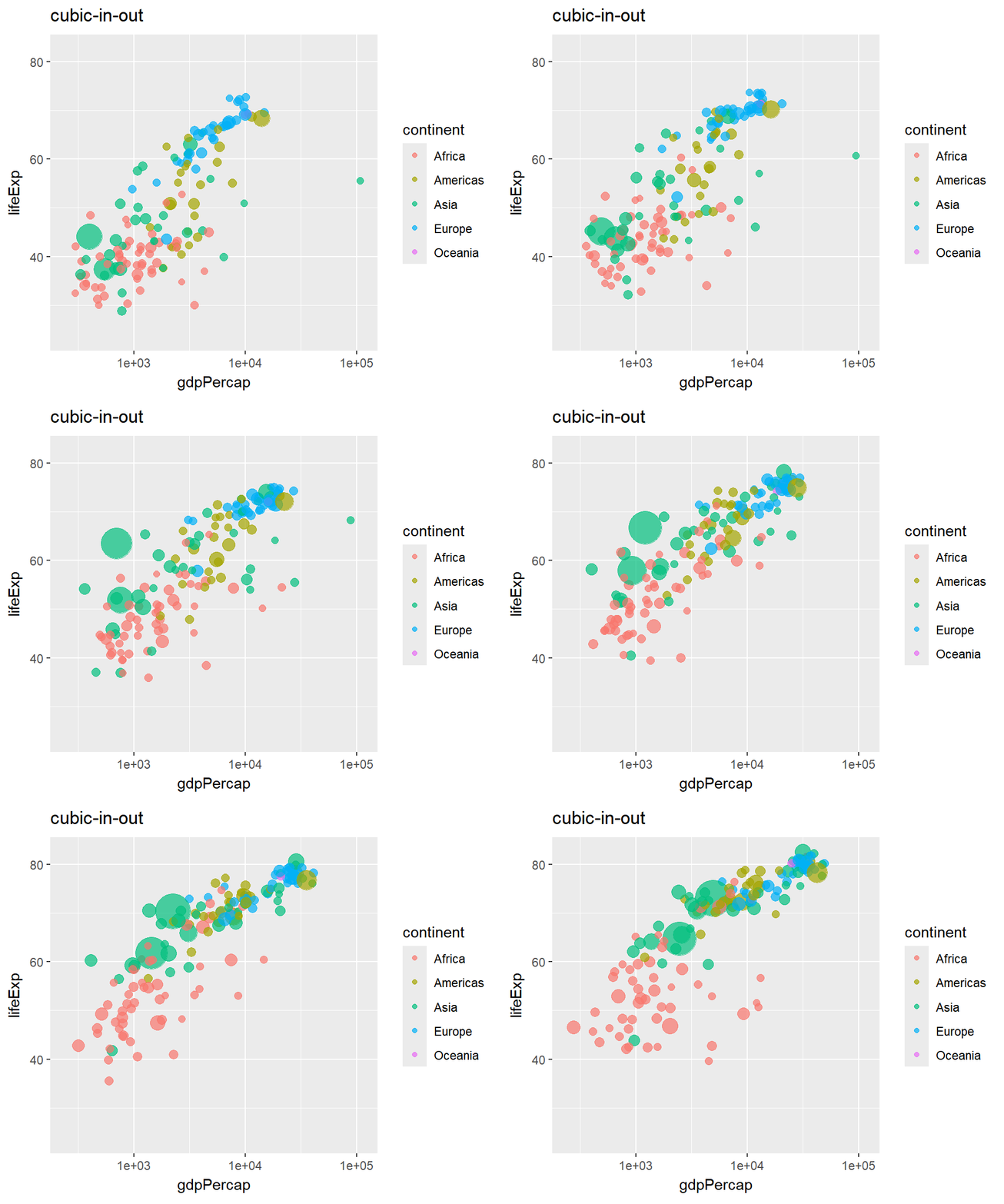
"cubic-in-out"
Starts slow, accelerates in the middle and decelerates at the end. Other common options are "bounce-out", "elastic-in-out" and "back-in-out".
library(ggplot2)
library(gganimate)
library(gapminder)

ggplot(gapminder, aes(x = gdpPercap, y = lifeExp,
                      size = pop, color = continent)) +
  geom_point(alpha = 0.7) +
  scale_x_log10() +
  scale_size(range = c(2, 12), guide = "none") +
  transition_time(year) +
  ease_aes("cubic-in-out")
animate() and anim_save()
Use animate() to control the output parameters. nframes sets the total number of frames, fps the frames per second, and width/height the output dimensions in pixels.
Call anim_save() after animate() to save the last rendered animation to a GIF file.
library(ggplot2)
library(gganimate)
library(gapminder)

p <- ggplot(gapminder, aes(x = gdpPercap, y = lifeExp,
                           size = pop, color = continent)) +
  geom_point(alpha = 0.7) +
  scale_x_log10() +
  scale_size(range = c(2, 12), guide = "none") +
  transition_time(year) +
  labs(title = "Year: {round(frame_time)}")

animate(p,
        nframes = 100,  # Total frames
        fps = 10,       # Frames per second
        width = 600,    # Width in pixels
        height = 400)   # Height in pixels

anim_save("gapminder.gif")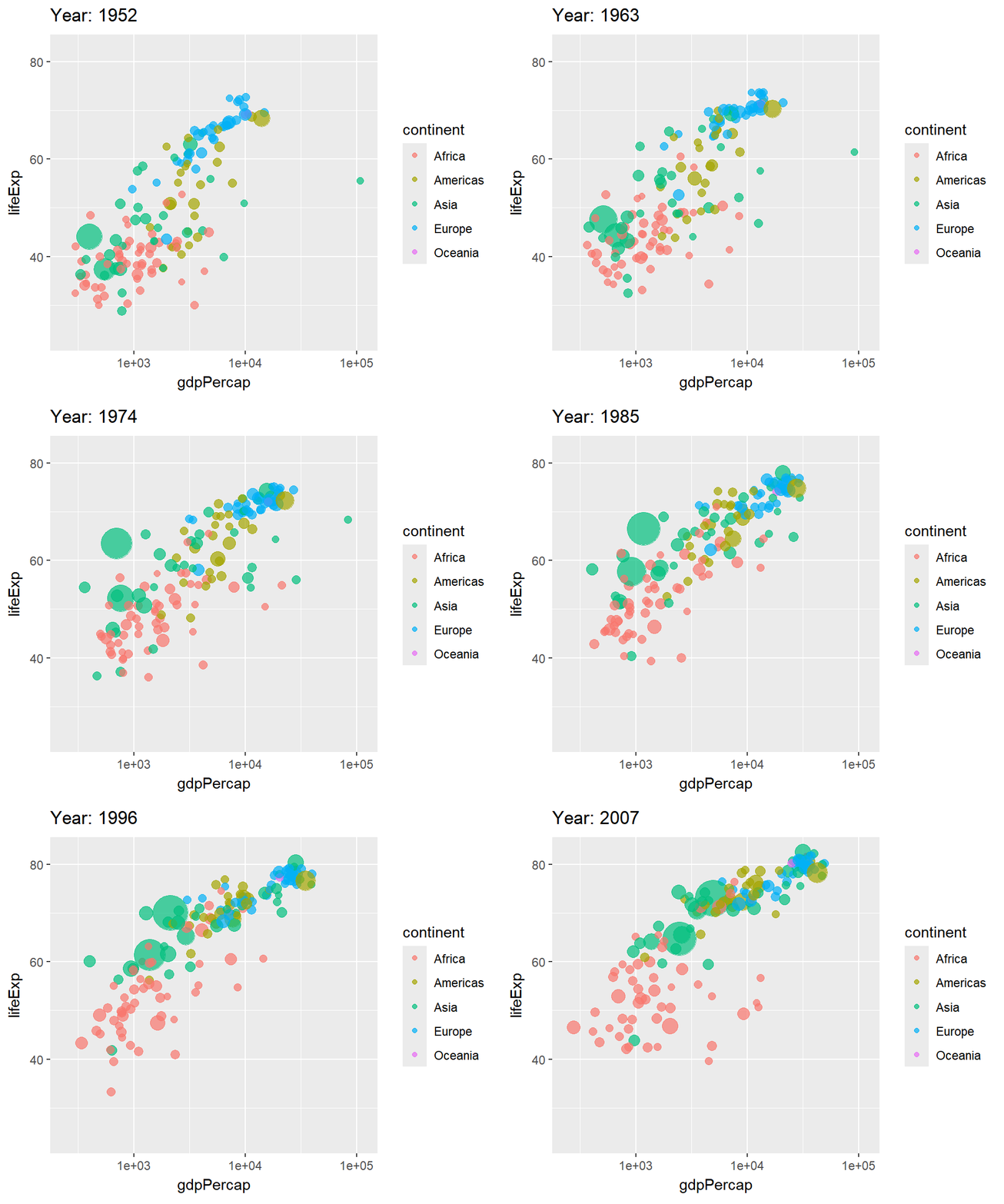

Master Statistics
Learn statistics from the basics to advanced techniques, clearly explained
Go to site