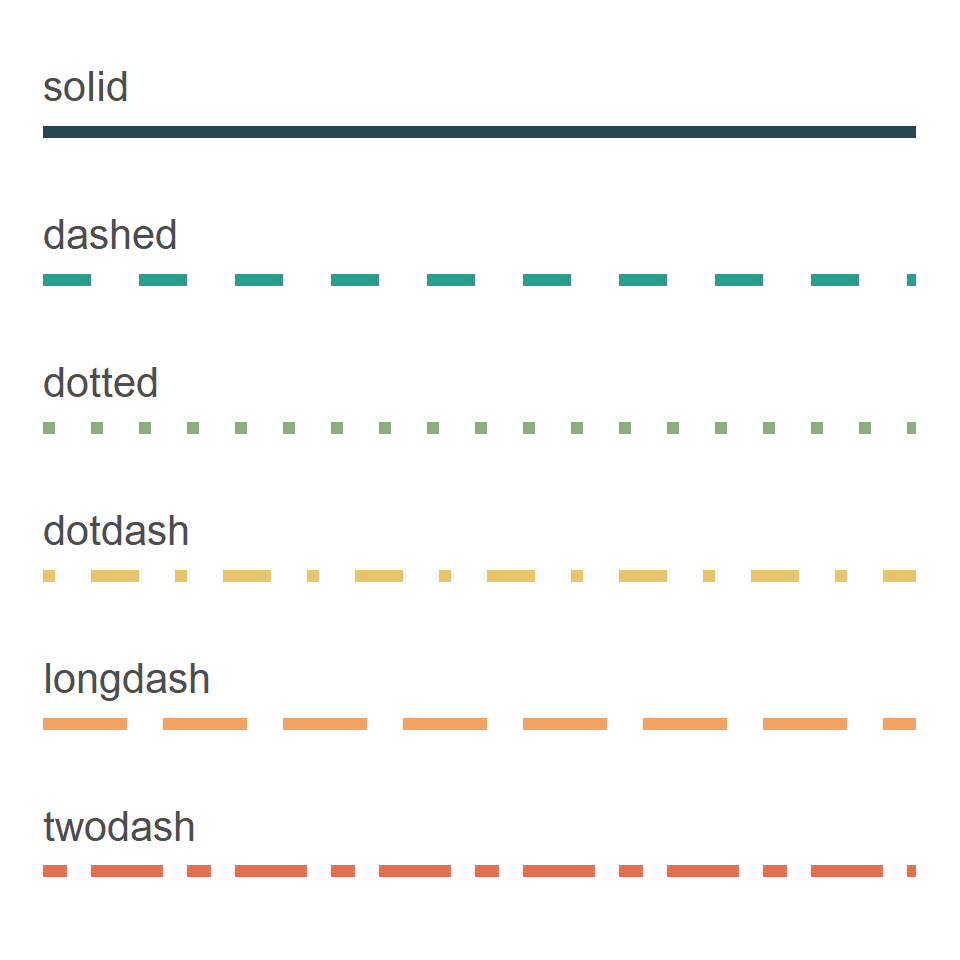
ggplot2 allows customizing the shape of the points of your plots, setting the same shape for all the points or a different one for each group. In this guide you will find the full list of the available shapes, by number and by name, and how to use them. If you use base R graphics check the pch symbols and if you want to customize the lines check the line types in ggplot2.
Point shapes in ggplot2
List of shapes
The shapes of the points are set with the shape argument, which accepts a number from 0 to 25. These are the same symbols as the pch argument of base R graphics.
Note that the shapes 21 to 25 have both a border and a fill color, so you can customize them with the color and fill arguments, respectively. The shapes 0 to 14 only have a border and the 15 to 20 are filled with the same color.
shapes <- data.frame(shape = 0:25,
                     x = rep(1:6, length.out = 26),
                     y = rep(5:1, each = 6, length.out = 26))

ggplot(shapes, aes(x = x, y = y)) +
  geom_point(aes(shape = shape), size = 5, fill = "red") +
  geom_text(aes(label = shape), nudge_y = -0.35) +
  scale_shape_identity() +
  theme_void()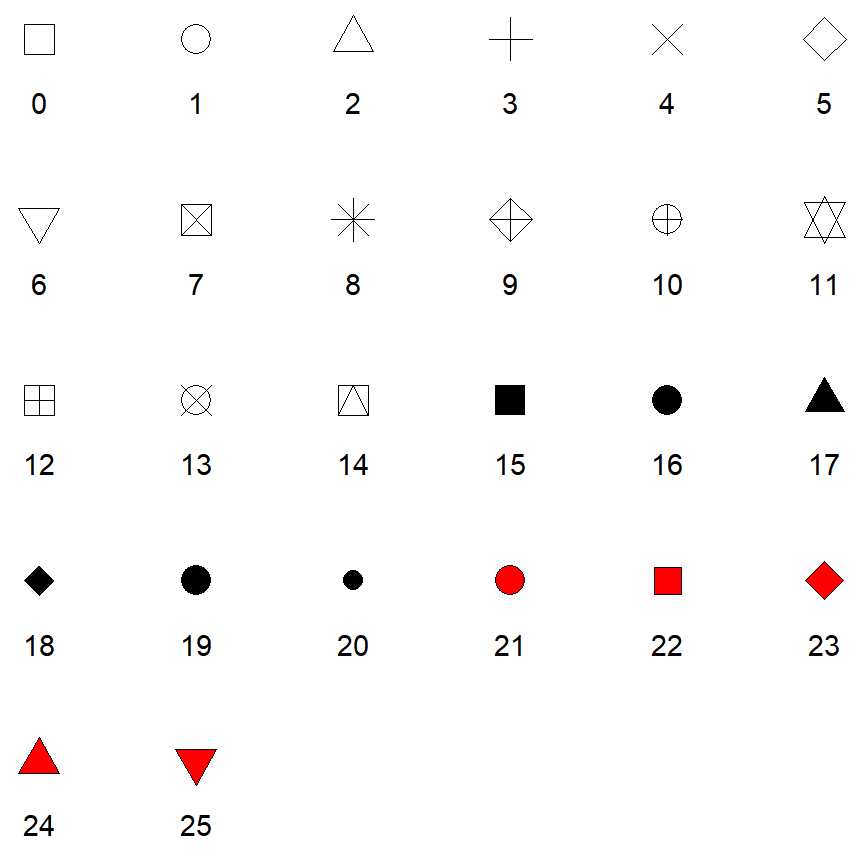
Shapes by name
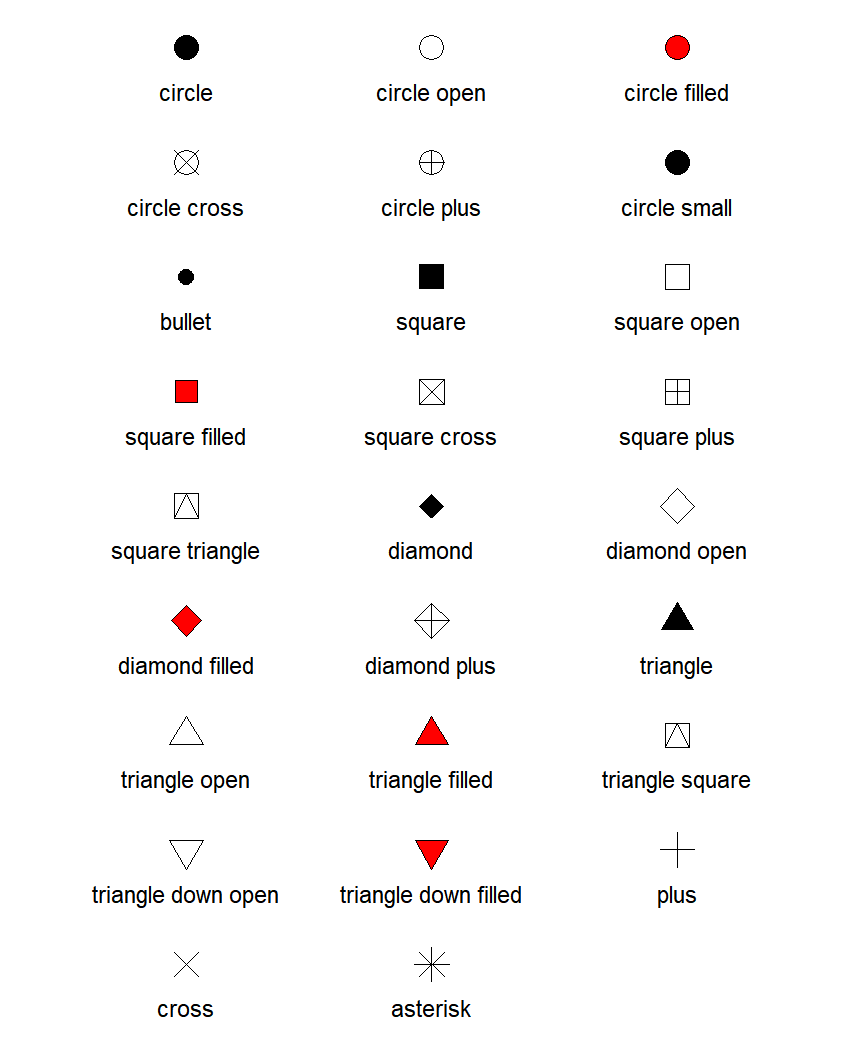
ggplot2 also allows specifying the shapes by their name, which makes the code easier to read. The names combine the figure ("circle", "square", "diamond", "triangle") with its style ("open", "filled", "cross", "plus"), as in shape = "triangle filled".
ggplot(iris, aes(x = Sepal.Length, y = Petal.Length)) +
  geom_point(shape = "diamond filled", fill = "red", size = 3)
Change the shape of the points
If you want to set the same shape for all the points pass the number or the name of the shape to the shape argument of geom_point, outside aes. Note that you can also change the size of the points with size.
ggplot(iris, aes(x = Sepal.Length, y = Petal.Length)) +
  geom_point(shape = 17, size = 3)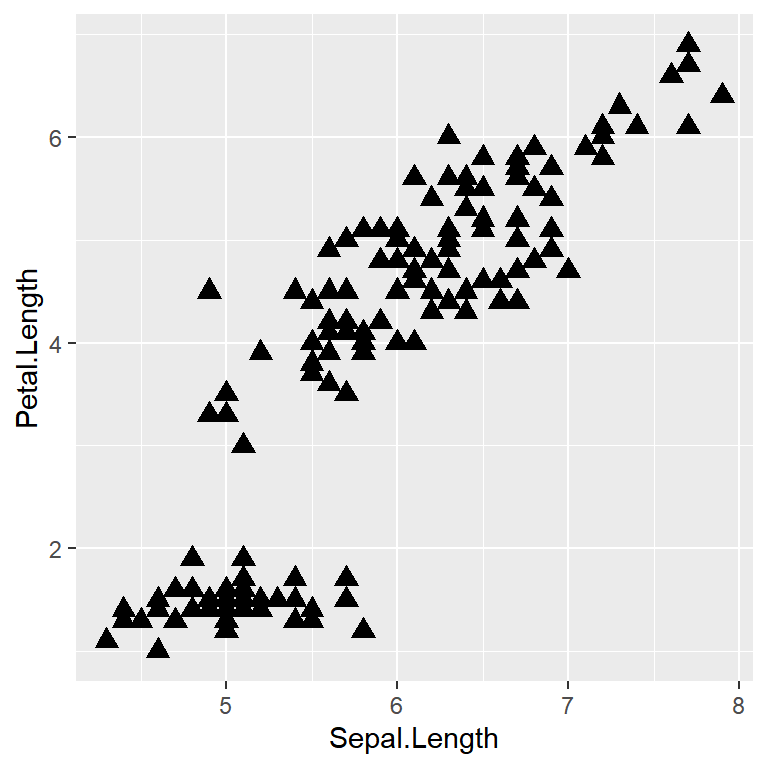
Shape by group
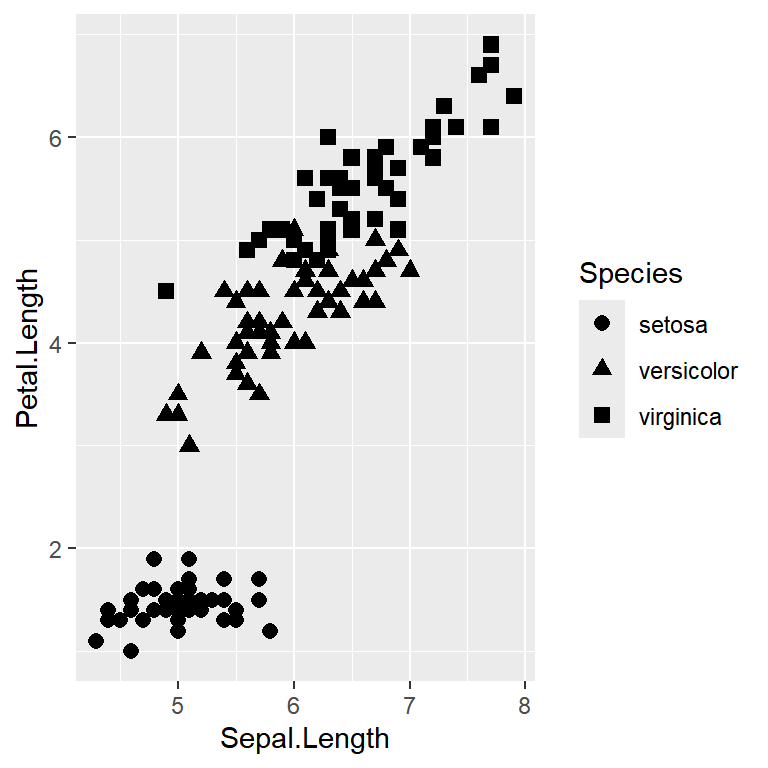
In order to use a different shape for each group you will need to pass the categorical variable to the shape argument inside aes, so a legend will be created automatically.
ggplot(iris, aes(x = Sepal.Length, y = Petal.Length, shape = Species)) +
  geom_point(size = 2.5)
Note that ggplot2 only uses six shapes by default, so if your variable has more groups you will need to set the shapes manually.
scale_shape_manual
The scale_shape_manual function allows you to choose the shape for each group, passing a vector to the values argument with as many shapes as groups. In this example we are also mapping the groups to color, so both legends are merged into one.
ggplot(iris, aes(x = Sepal.Length, y = Petal.Length, shape = Species, color = Species)) +
  geom_point(size = 2.5) +
  scale_shape_manual(values = c(16, 17, 15))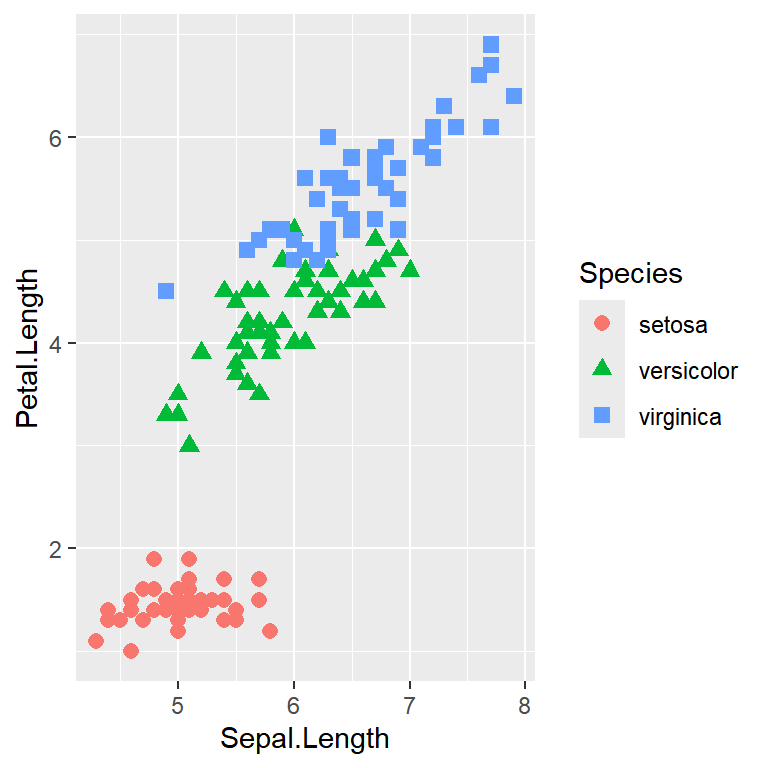
Fill, border and size of the shapes
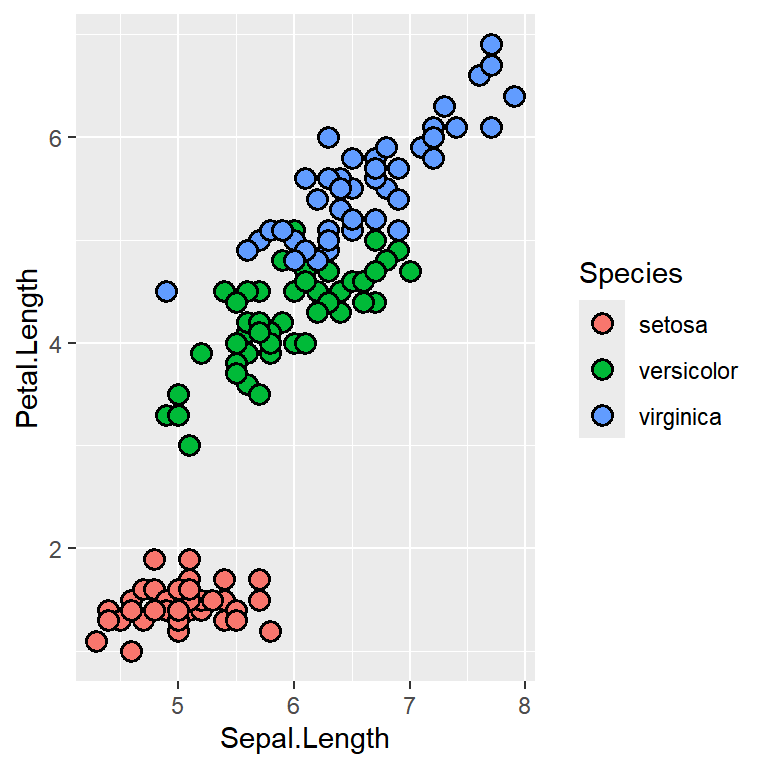
The shapes 21 to 25 can be filled with a color using the fill argument, while color sets the color of the border. In addition, the stroke argument controls the width of the border and size the size of the points. In this example we are filling the points by group. Check the guide about colors in ggplot2 to customize the colors.
ggplot(iris, aes(x = Sepal.Length, y = Petal.Length, fill = Species)) +
  geom_point(shape = 21, color = "black", size = 3, stroke = 1)
Master Statistics
Learn statistics from the basics to advanced techniques, clearly explained
Go to site