ggplot2 allows customizing the type of the lines of your plots, setting the same line type for all the lines or a different one for each group. In this guide you will find the full list of the available line types and how to use them. If you use base R graphics check the line types in base R and if you want to customize the points check the shapes in ggplot2.
Line types in ggplot2
List of line types
The type of the lines is set with the linetype argument. There are seven line types, which can be specified by their name or by a number from 0 to 6: "blank" (0), "solid" (1, the default), "dashed" (2), "dotted" (3), "dotdash" (4), "longdash" (5) and "twodash" (6).
lines <- data.frame(linetype = c("solid", "dashed", "dotted", "dotdash",
                                 "longdash", "twodash"),
                    y = 6:1)

ggplot(lines, aes(x = 0, xend = 1, y = y, yend = y)) +
  geom_segment(aes(linetype = linetype), linewidth = 1) +
  geom_text(aes(label = paste0(linetype, " (", 1:6, ")")), x = 0, nudge_y = 0.3, hjust = 0) +
  scale_linetype_identity() +
  theme_void()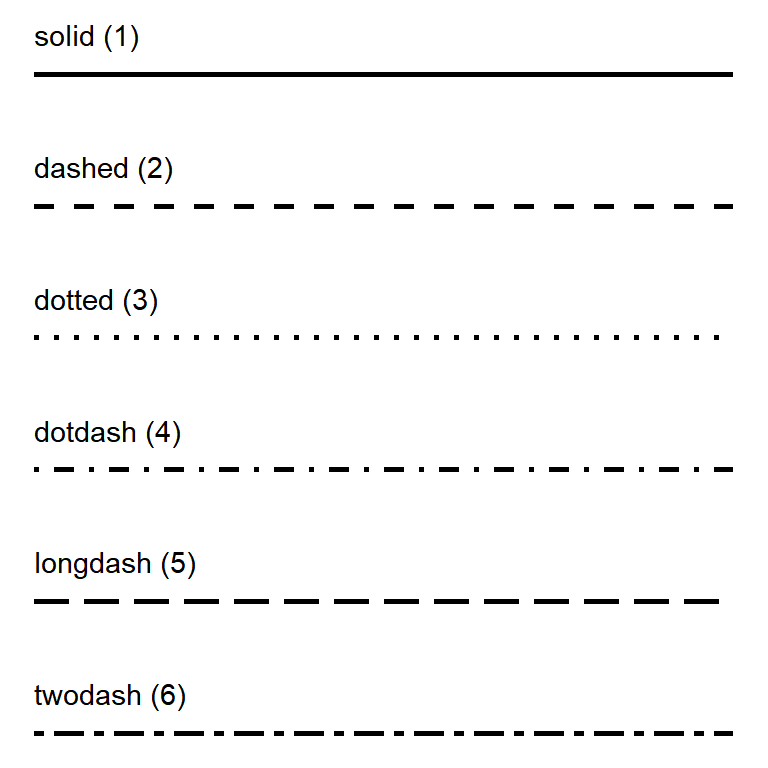
Custom line types
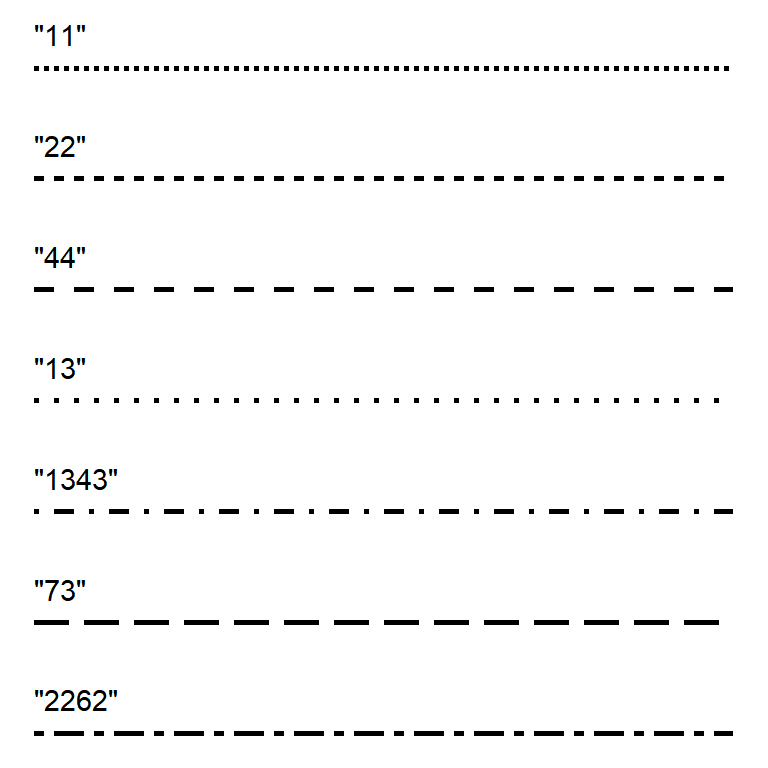
You can also create your own patterns with a string of 2, 4, 6 or 8 hexadecimal digits, where each pair of digits indicates the length of a dash and the length of the following gap. For instance, "44" creates dashes of 4 units separated by gaps of 4 units and "1343" alternates short and long dashes.
ggplot(df, aes(x = x, y = y, group = group)) +
  geom_line(linetype = "1343")
Change the line type
If you want to use the same line type for all the lines pass the name or the number of the line type to the linetype argument of geom_line (or any other geom with lines), outside aes. In this example we are using a line chart with multiple lines.
ggplot(df, aes(x = x, y = y, group = group)) +
  geom_line(linetype = "dashed")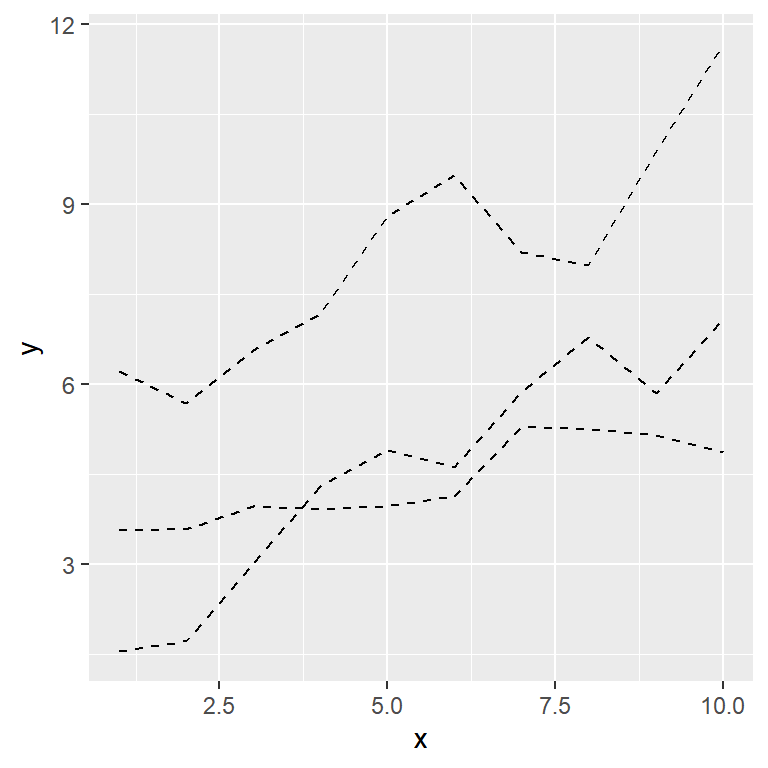
Line type by group
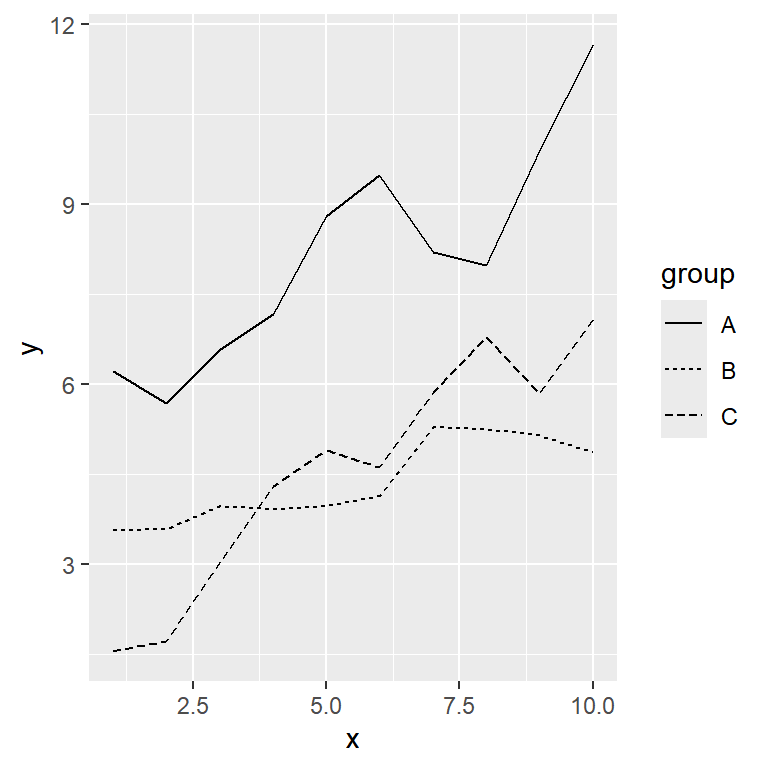
In order to use a different line type for each group pass the categorical variable to the linetype argument inside aes. This is very useful when the plot is going to be printed in black and white.
ggplot(df, aes(x = x, y = y, linetype = group)) +
  geom_line()
scale_linetype_manual
With scale_linetype_manual you can choose the line type of each group, passing a vector with the names, the numbers or the custom patterns to the values argument.
ggplot(df, aes(x = x, y = y, linetype = group)) +
  geom_line() +
  scale_linetype_manual(values = c("solid", "dotted", "44"))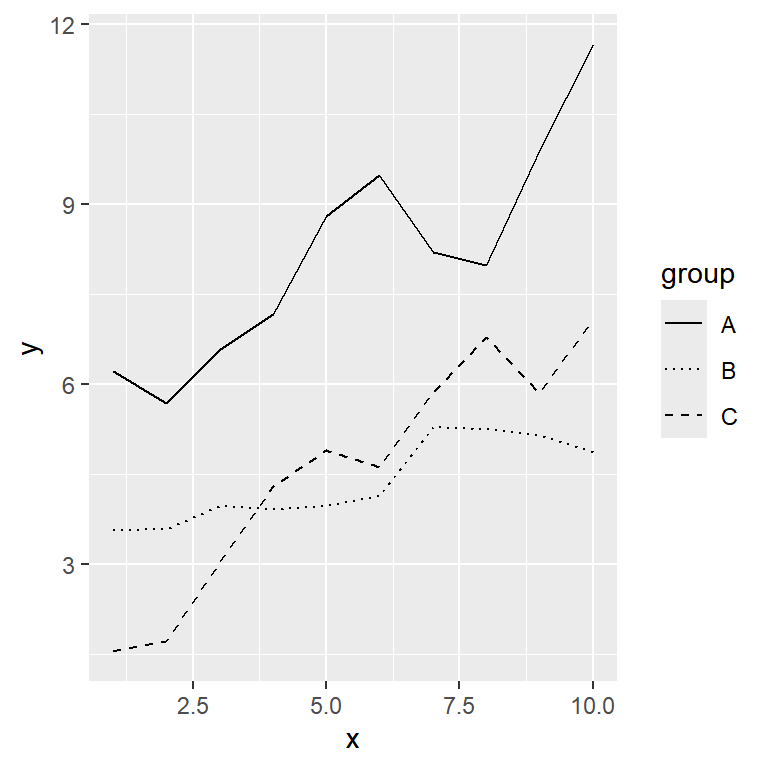
Line width
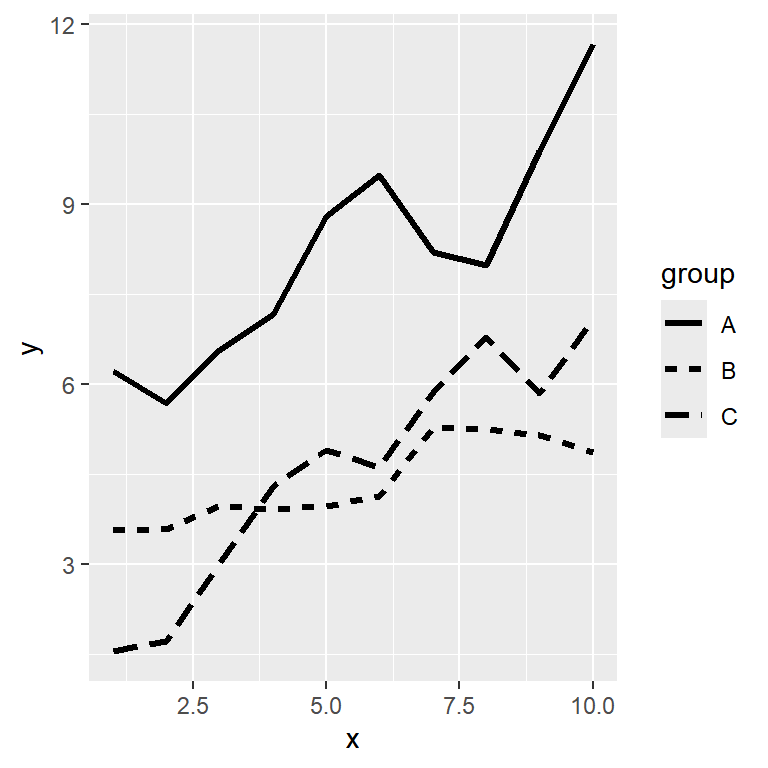
The width of the lines is controlled by the linewidth argument. Note that since ggplot2 3.4.0 linewidth replaces the size argument for lines, so if you find old code using size to change the width of the lines you should replace it with linewidth.
ggplot(df, aes(x = x, y = y, linetype = group)) +
  geom_line(linewidth = 1.2)
Lines and points with a single legend
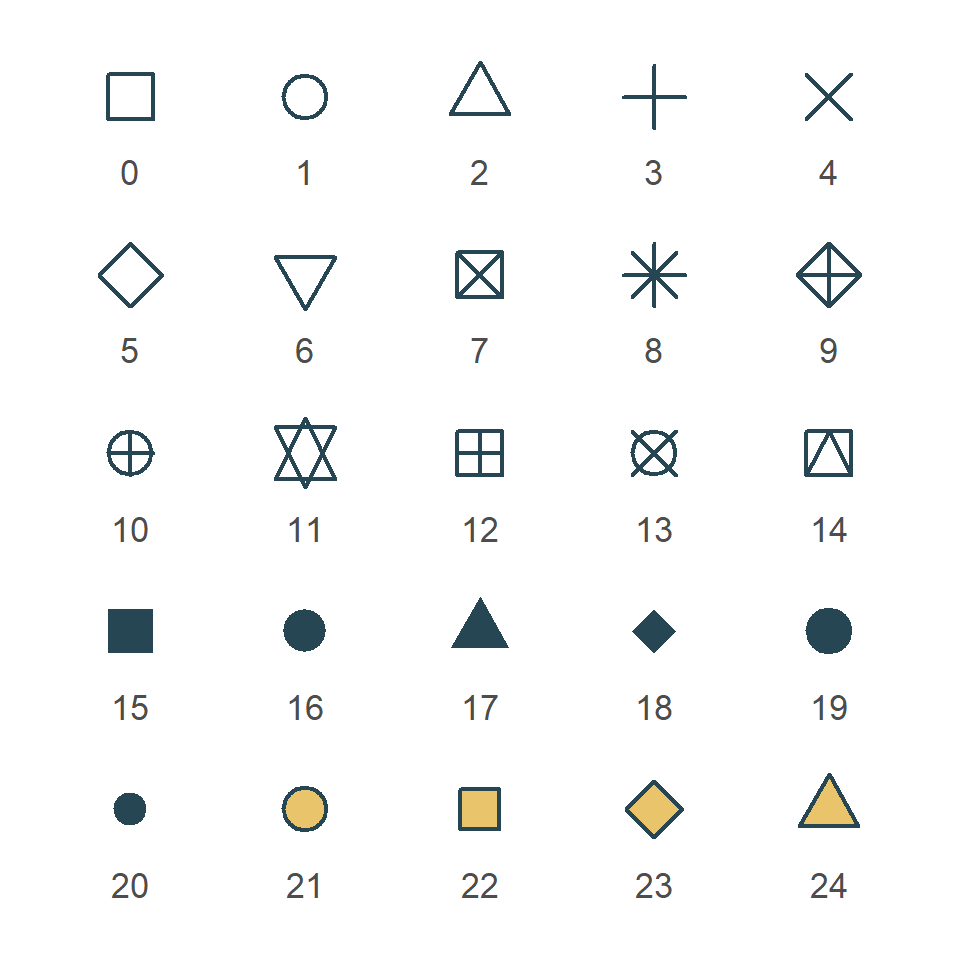
When you combine lines and points it is common to map the groups to the color, the line type and the shape at the same time. If all of them use the same variable and the same title ggplot2 will merge them into a single legend. Check the shapes in ggplot2 to choose the shapes and the guide about legends in ggplot2 to customize the legend.
ggplot(df, aes(x = x, y = y, color = group,
               linetype = group, shape = group)) +
  geom_line() +
  geom_point(size = 2.5)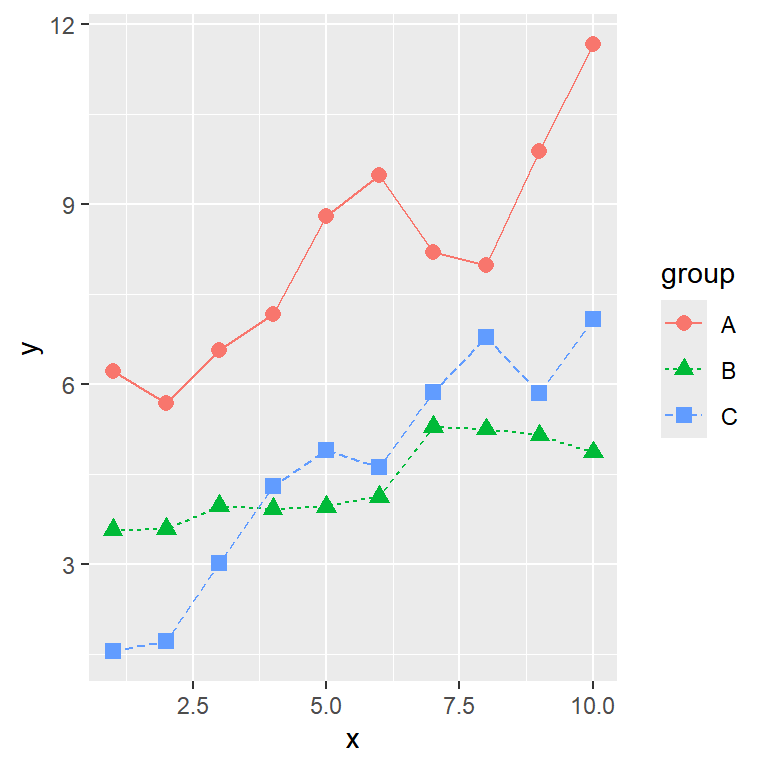

Master Statistics
Learn statistics from the basics to advanced techniques, clearly explained
Go to site