Sample data
ComplexHeatmap is a Bioconductor package that allows creating highly customizable heat maps, adding annotations, splitting them into groups and combining several heat maps in the same figure. It is very popular for visualizing gene expression data, but you can use it with any numerical matrix.
In this tutorial we are going to use a simulated matrix with the expression of 20 genes (rows) in 10 samples (columns), five of them from a control group and five from a treatment group. Note that the values are scaled by row (z-scores), which is the usual approach to compare the expression of genes with different levels.
set.seed(5)
mat <- matrix(rnorm(200), nrow = 20,
              dimnames = list(paste0("Gene", 1:20), paste0("S", 1:10)))
mat[1:7, 6:10] <- mat[1:7, 6:10] + 3.5
mat[8:14, 6:10] <- mat[8:14, 6:10] - 3.5

# Scale by row
mat <- t(scale(t(mat)))

group <- rep(c("Control", "Treatment"), each = 5)
The Heatmap function
In order to install the package you will need the BiocManager package, as ComplexHeatmap is available in Bioconductor. Then, pass the matrix to the Heatmap function. By default, the rows and the columns are clustered and the dendrograms are displayed. Use the name argument to set the title of the legend.
# install.packages("BiocManager")
# BiocManager::install("ComplexHeatmap")
library(ComplexHeatmap)

Heatmap(mat, name = "Z-score")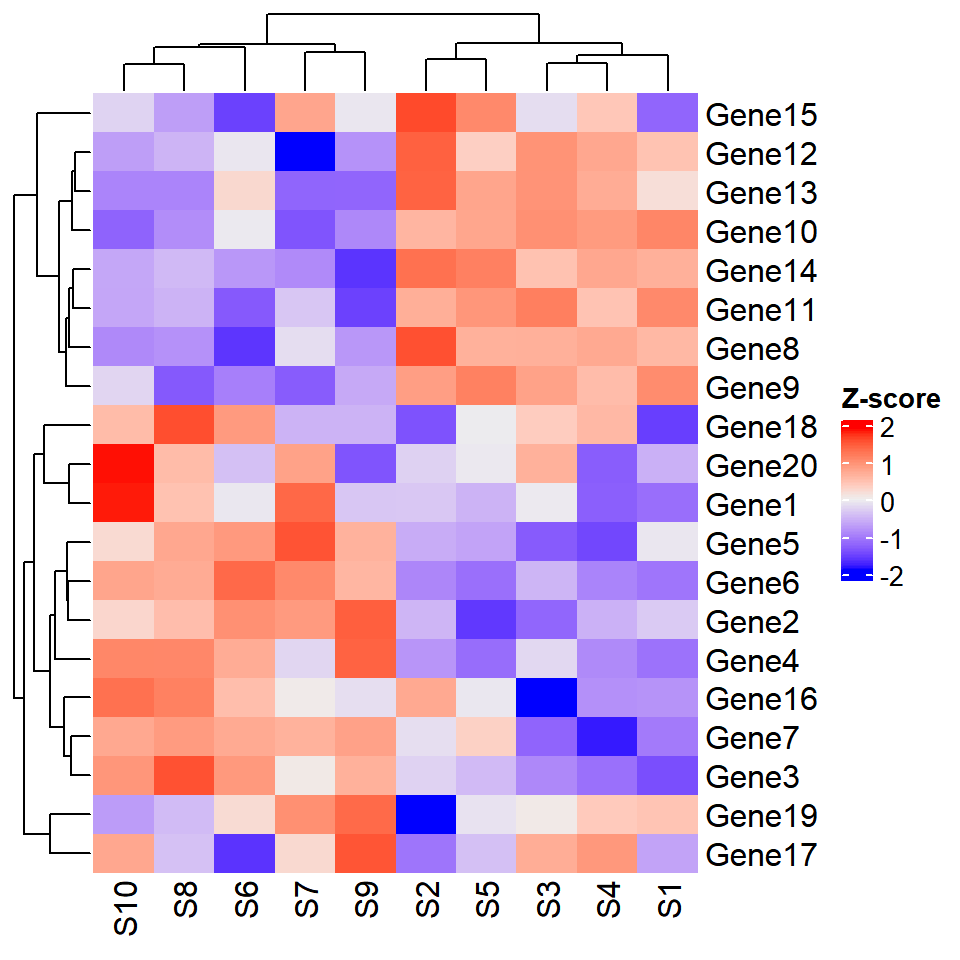
Color scale
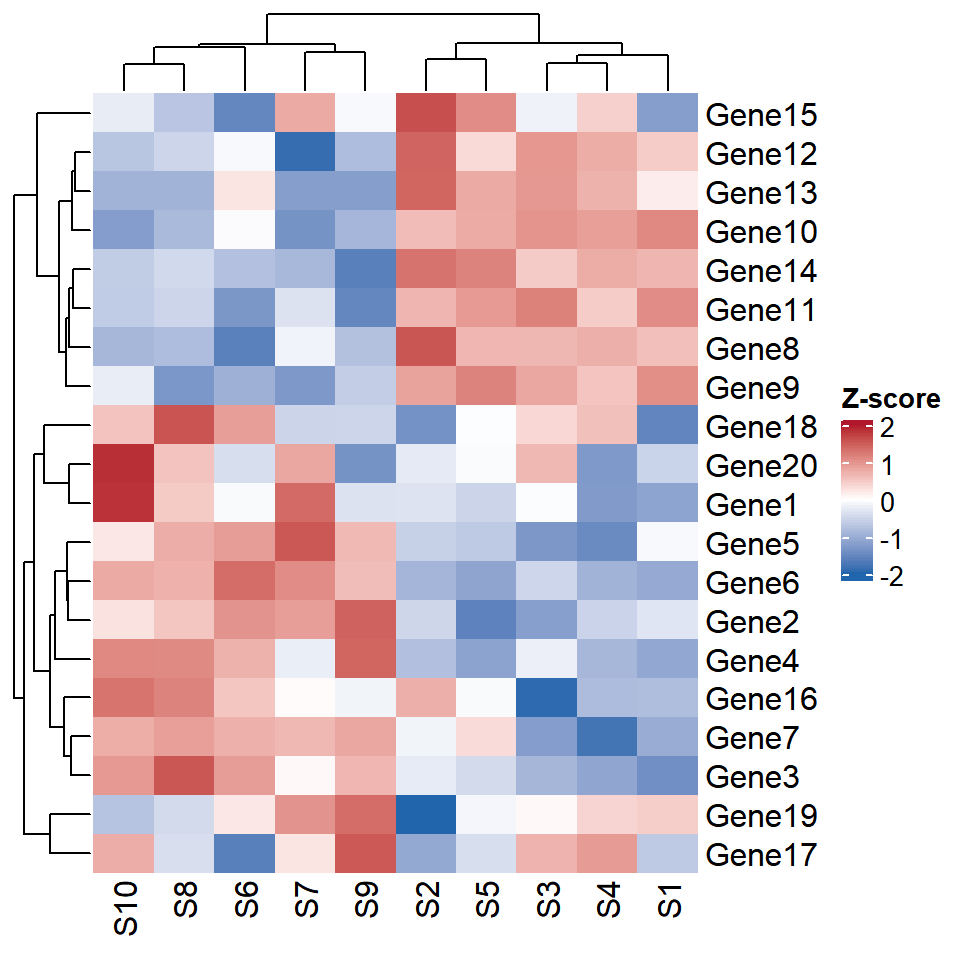
The colors are set with the col argument, which takes a color mapping function created with colorRamp2 from the circlize package. You will need to pass the values to the first argument and the corresponding colors to the second, so you can create diverging scales centered at zero, which are the most suitable for z-scores.
# install.packages("circlize")
library(circlize)

col_fun <- colorRamp2(c(-2, 0, 2), c("#2166AC", "white", "#B2182B"))

Heatmap(mat, name = "Z-score", col = col_fun)
Clustering and dendrograms
The clustering can be customized with the clustering_distance_rows and clustering_method_rows arguments (and their equivalents for the columns), choosing the distance, such as "euclidean" or "pearson", and the method of the hierarchical clustering. In addition, you can remove the clustering of the columns with cluster_columns = FALSE to keep the original order of the samples.
Heatmap(mat, name = "Z-score", col = col_fun,
        clustering_distance_rows = "pearson",
        clustering_method_rows = "average",
        cluster_columns = FALSE)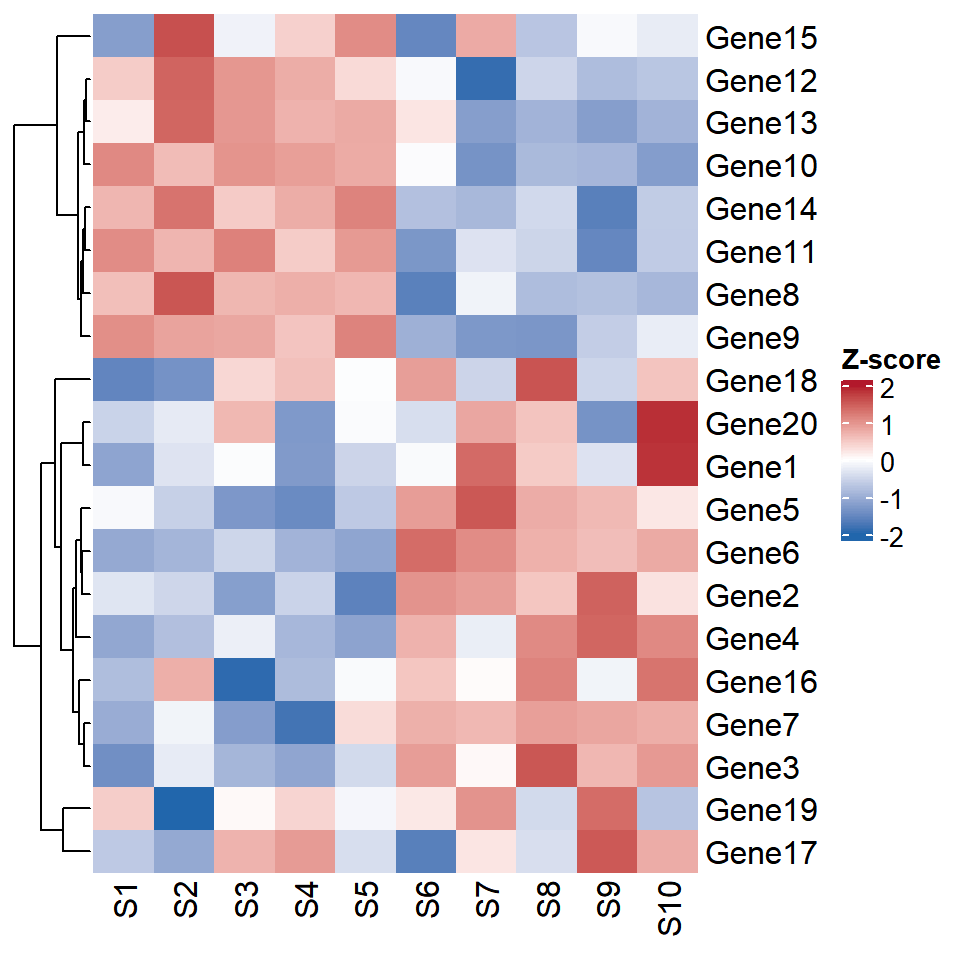
Annotations
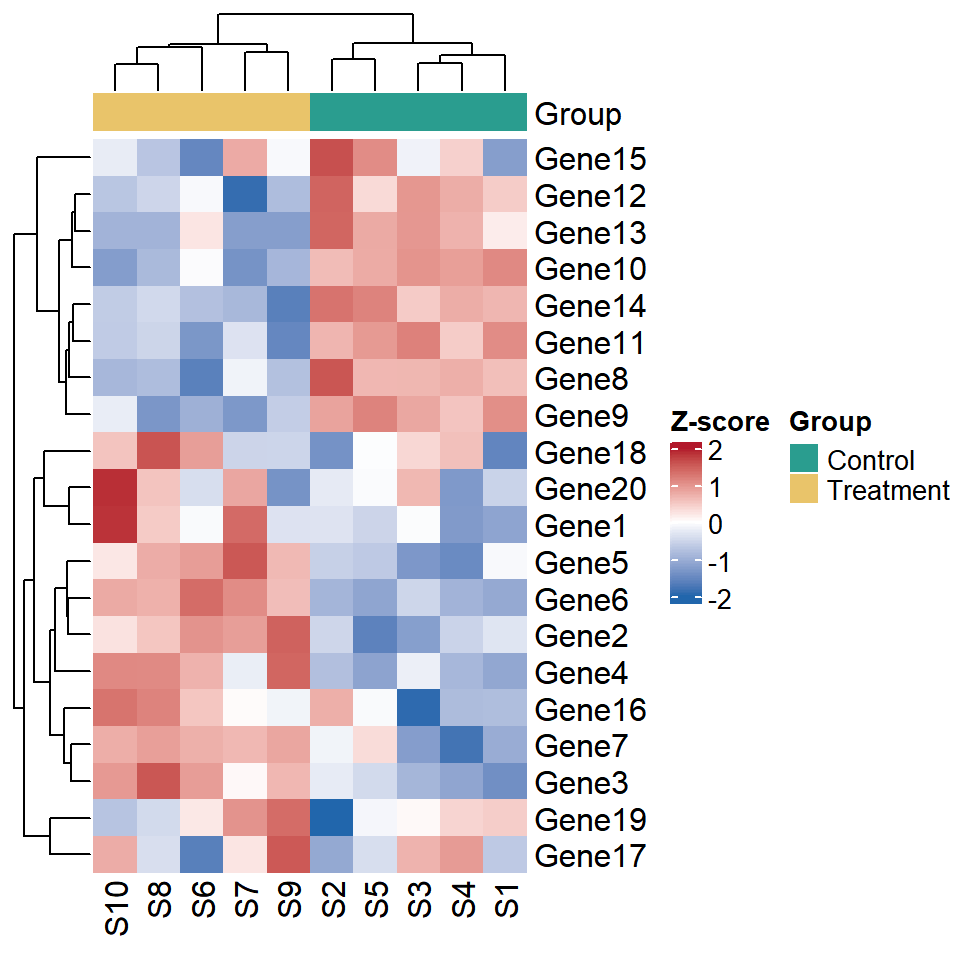
Annotations are one of the main advantages of ComplexHeatmap. You can add information about the samples, such as the group of each one, creating an annotation with HeatmapAnnotation and passing it to top_annotation. The colors of each category are set with a named vector inside a list.
ha <- HeatmapAnnotation(Group = group,
                        col = list(Group = c(Control = "#2A9D8F",
                                             Treatment = "#E9C46A")))

Heatmap(mat, name = "Z-score", col = col_fun,
        top_annotation = ha)
Annotations with plots
Annotations can also contain plots. In this example we are adding a bar plot at the right of the heat map with the mean value of each gene in the treatment group, using rowAnnotation and anno_barplot.
ra <- rowAnnotation(Mean = anno_barplot(rowMeans(mat[, 6:10])))

Heatmap(mat, name = "Z-score", col = col_fun,
        top_annotation = ha,
        right_annotation = ra)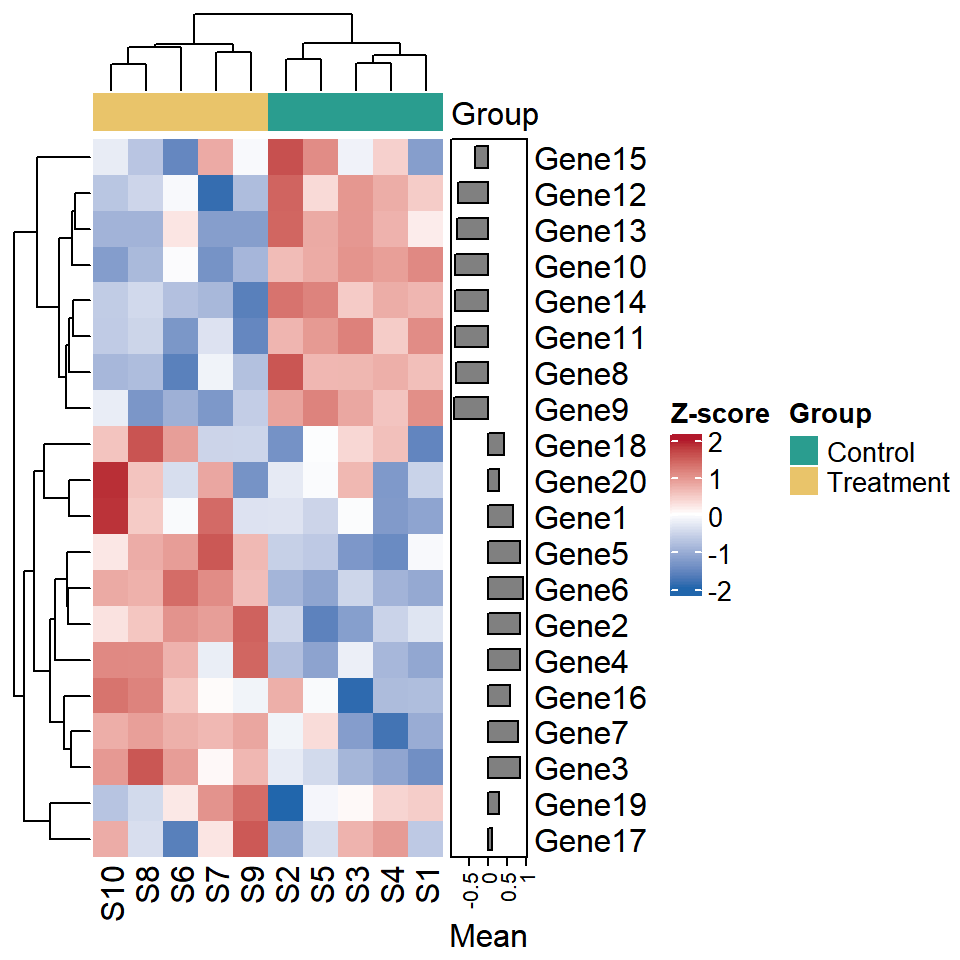
Split the heat map
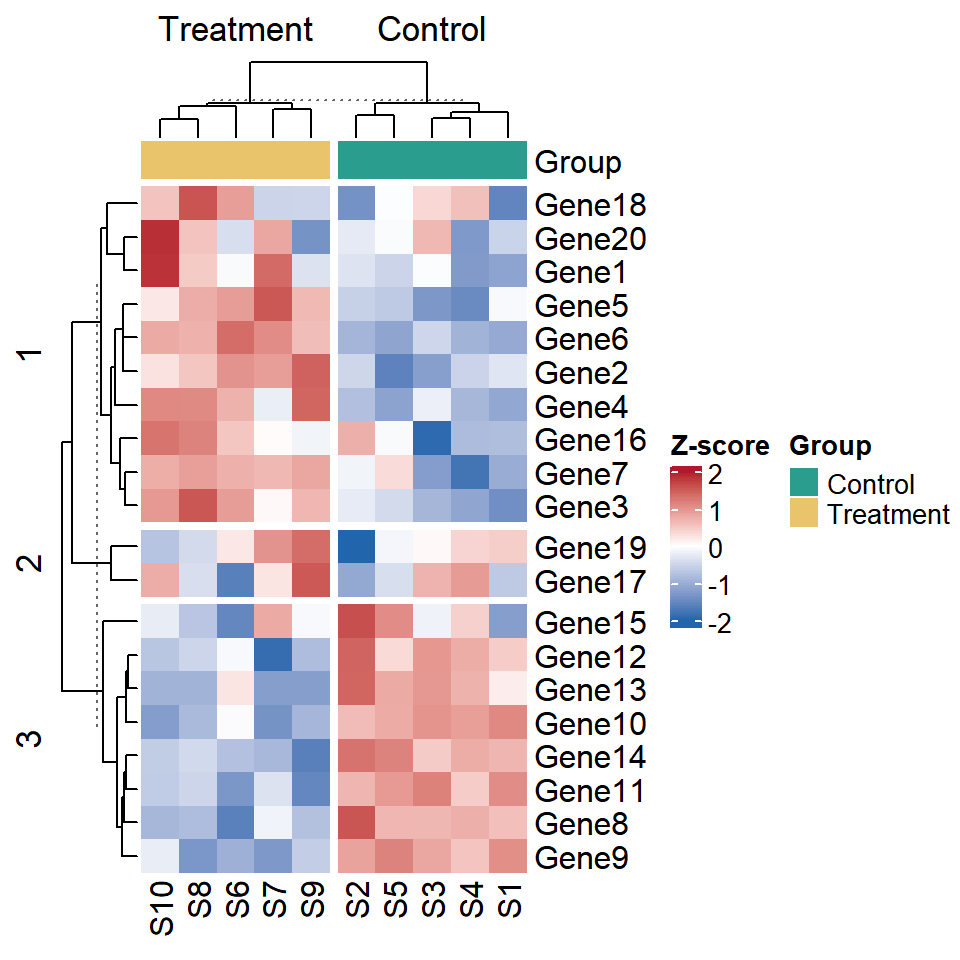
You can split the heat map into groups to make the patterns easier to see. column_split splits the columns based on a variable, such as the group of each sample, while row_km splits the rows into the specified number of clusters with k-means. Note that you can also split the rows with a variable using row_split.
Heatmap(mat, name = "Z-score", col = col_fun,
        top_annotation = ha,
        column_split = group,
        row_km = 3)
Show the values
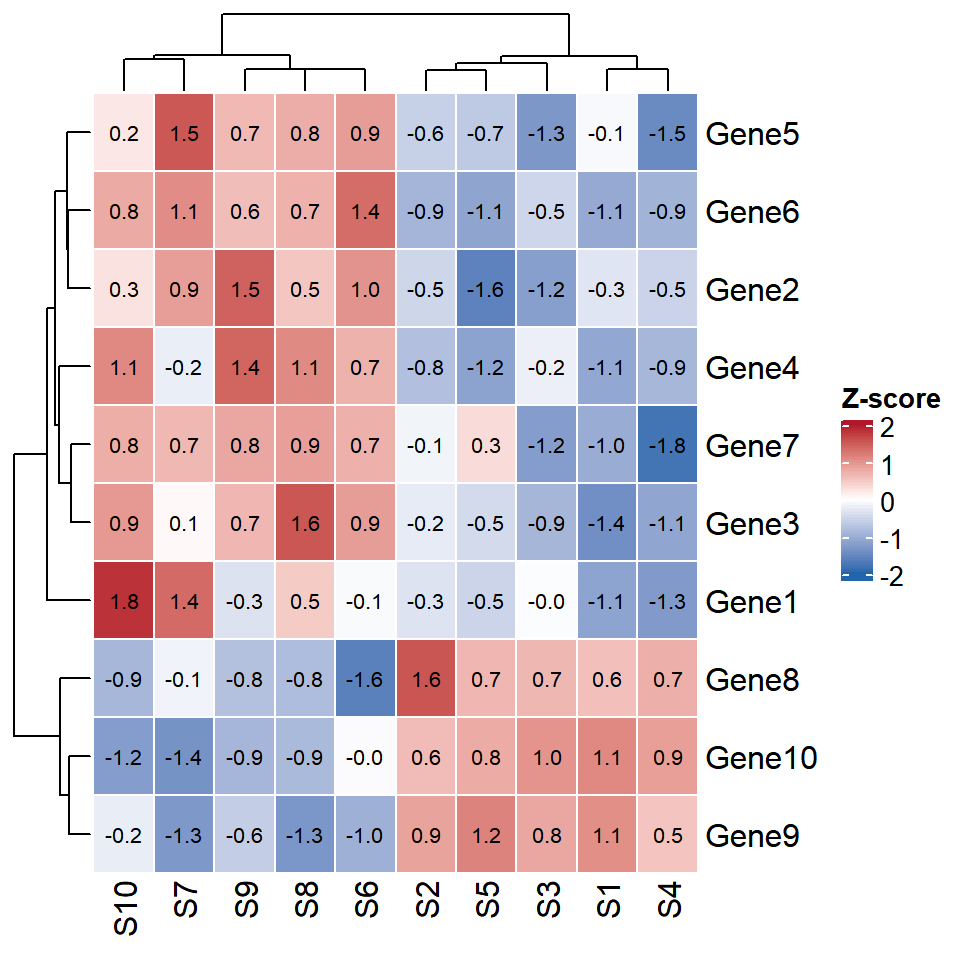
If you want to display the values inside the cells use the cell_fun argument, which takes a function that is applied to each cell. In this example we are using grid.text to write the values with one decimal and rect_gp to add white borders to the cells.
Heatmap(mat[1:10, ], name = "Z-score", col = col_fun,
        rect_gp = gpar(col = "white", lwd = 1),
        cell_fun = function(j, i, x, y, width, height, fill) {
          grid.text(sprintf("%.1f", mat[i, j]), x, y,
                    gp = gpar(fontsize = 8))
        })
Legend position
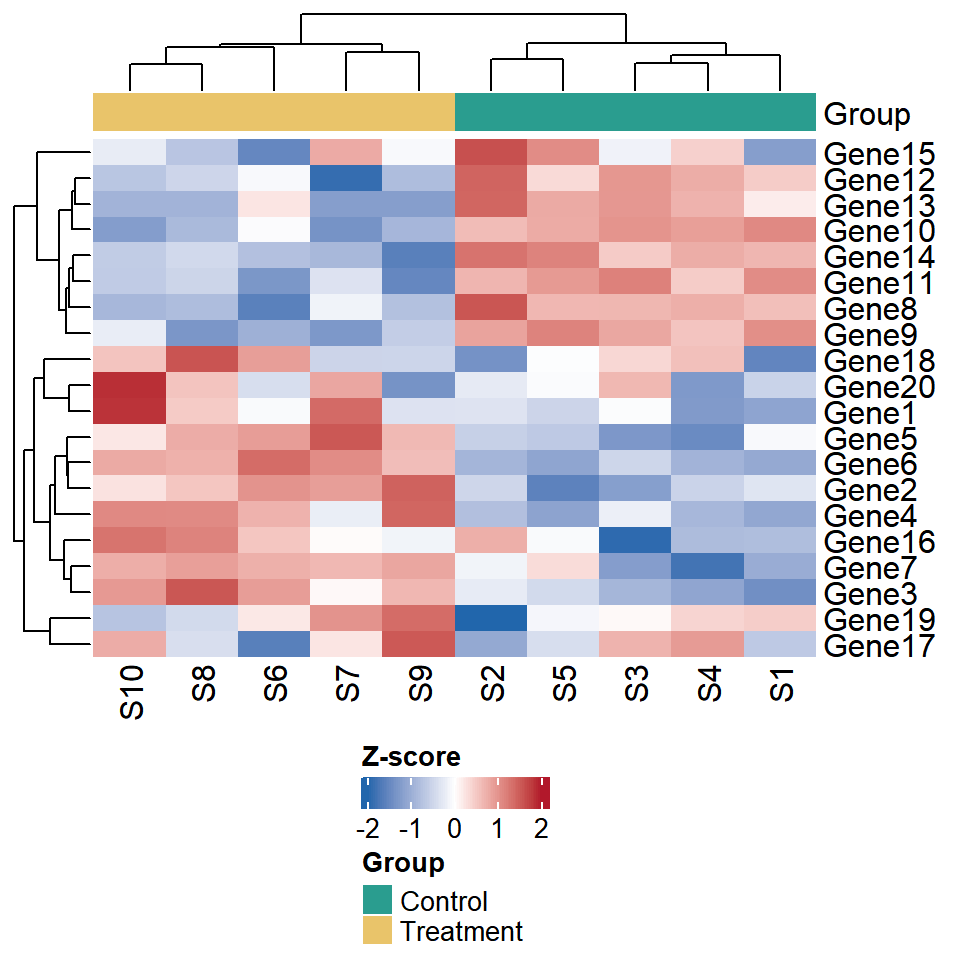
The position of the legends is set when drawing the heat map with the draw function, using the heatmap_legend_side and annotation_legend_side arguments. The legend can also be customized with the heatmap_legend_param argument, for instance, to display it horizontally.
ht <- Heatmap(mat, name = "Z-score", col = col_fun,
              top_annotation = ha,
              heatmap_legend_param = list(direction = "horizontal"))

draw(ht, heatmap_legend_side = "bottom",
     annotation_legend_side = "bottom")
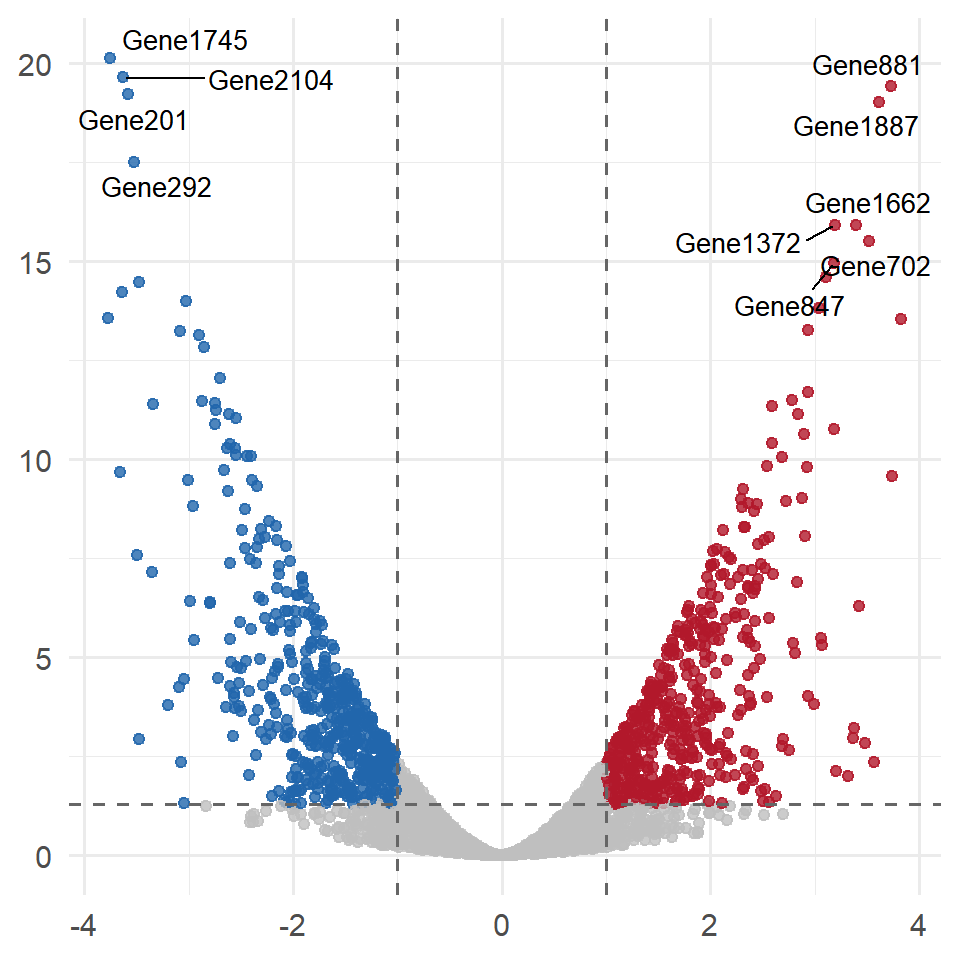
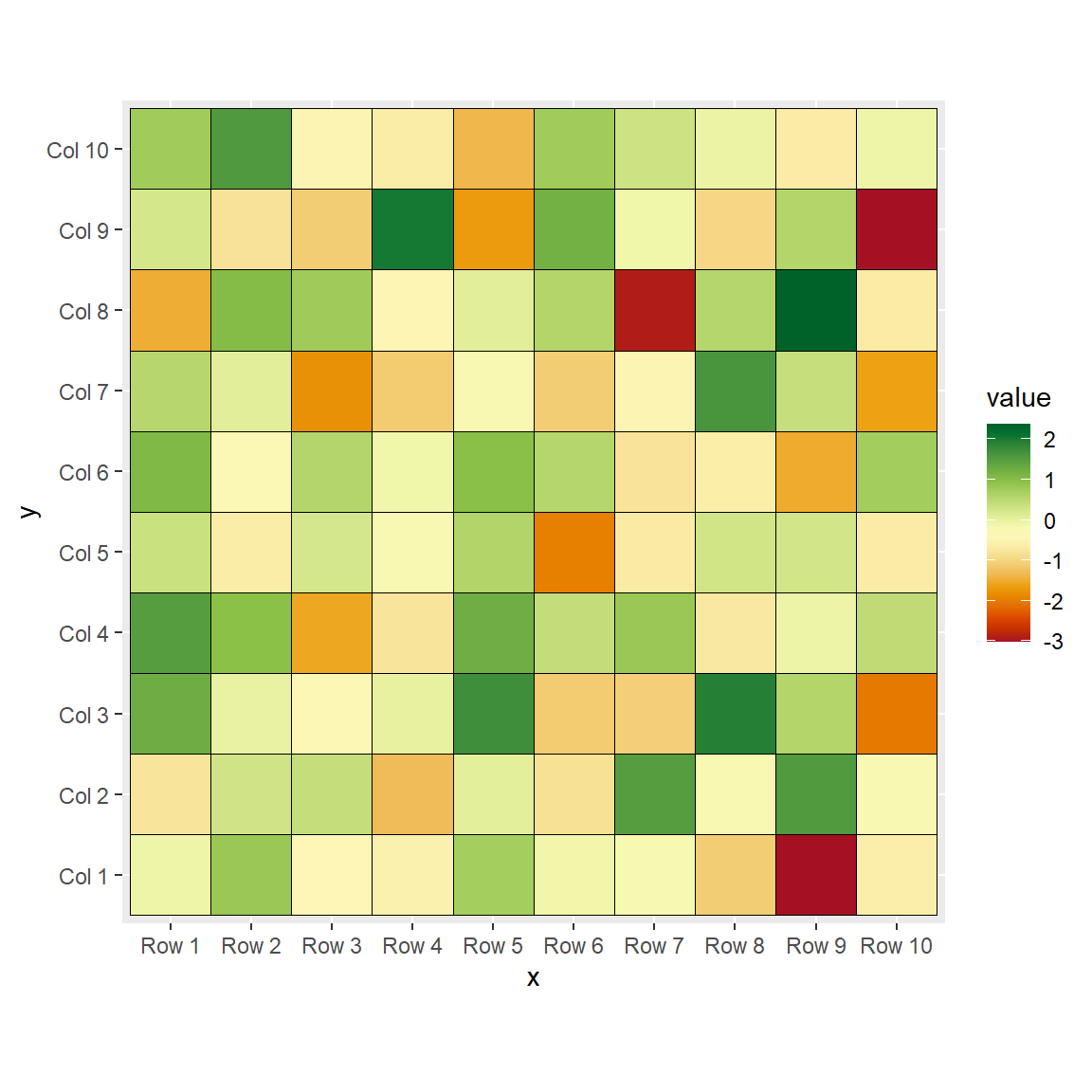
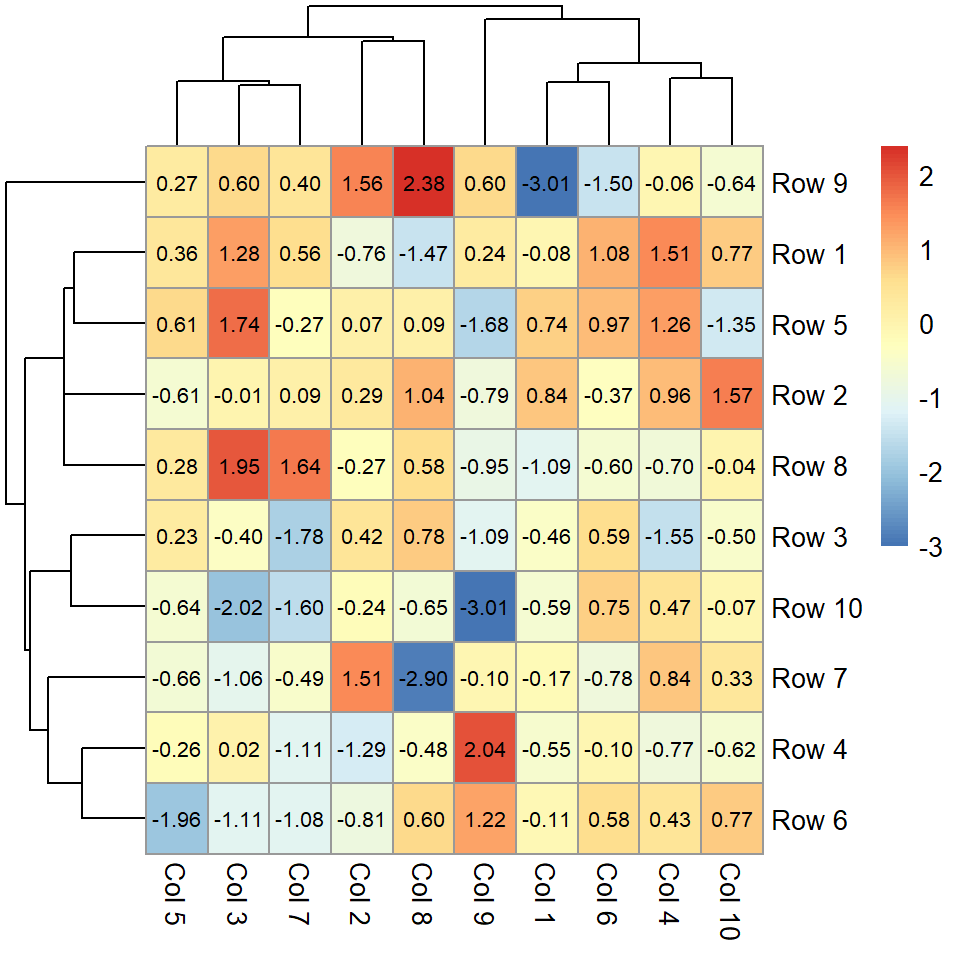
If you need a simpler alternative you can also use the pheatmap function, the base R heatmap function or create a heat map in ggplot2 with geom_tile. In gene expression analysis it is common to select the genes to display with a volcano plot.
Master Statistics
Learn statistics from the basics to advanced techniques, clearly explained
Go to site