Sample data
A volcano plot is a type of scatter plot used to visualize the results of a differential expression analysis, showing at the same time the magnitude of the change (log2 fold change) on the X-axis and the statistical significance (-log10 of the p-value) on the Y-axis. The most significant genes appear at the top and the ones with the biggest changes at both sides, giving the chart its characteristic volcano shape.
In this tutorial we are going to use a simulated data set with the same structure as the output of packages like DESeq2 or limma: a column with the name of the gene, other with the log2 fold change and other with the p-value. If you are working with your own results you will only need these columns.
set.seed(12)
n <- 3000
df <- data.frame(gene = paste0("Gene", 1:n),
                 log2FC = rnorm(n, mean = 0, sd = 1.2))
df$pvalue <- pmin(1, 10^(-(abs(df$log2FC)^1.6) * runif(n, 0.2, 2.5)))
Note that in a real analysis you should use the adjusted p-values (for instance, the padj column of DESeq2) instead of the raw p-values.
Basic volcano plot
In order to create a basic volcano plot in ggplot2 you will need to pass the log2 fold change to x and -log10(pvalue) to y and use geom_point. The transformation of the p-values makes the most significant genes (the smallest p-values) appear at the top of the plot.
# install.packages("ggplot2")
library(ggplot2)

ggplot(df, aes(x = log2FC, y = -log10(pvalue))) +
  geom_point()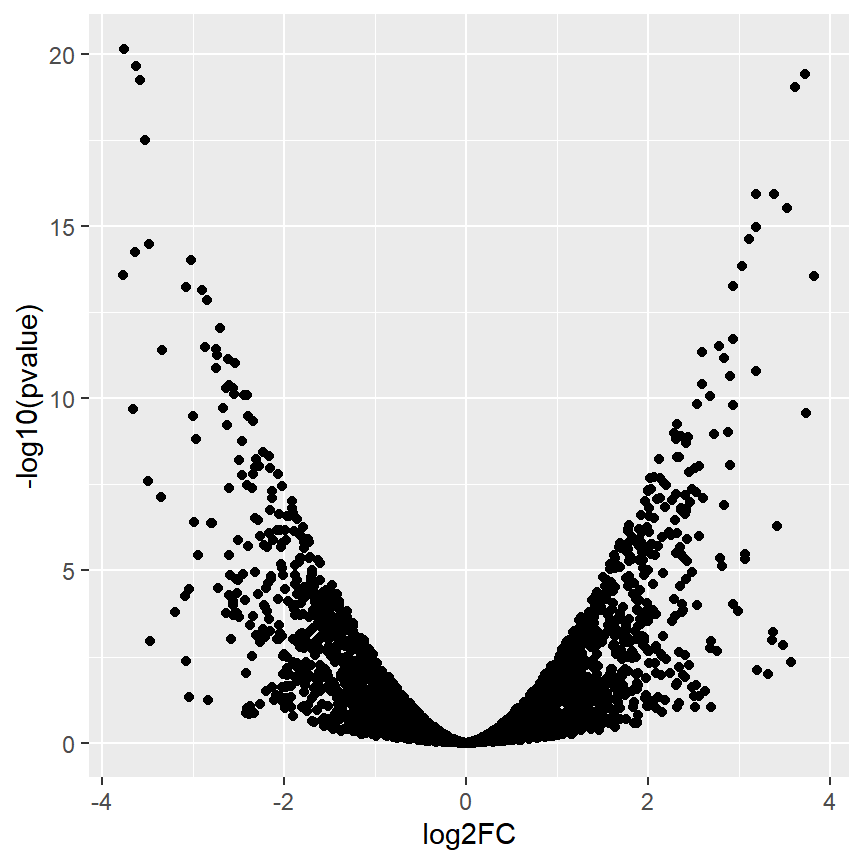
Significance thresholds
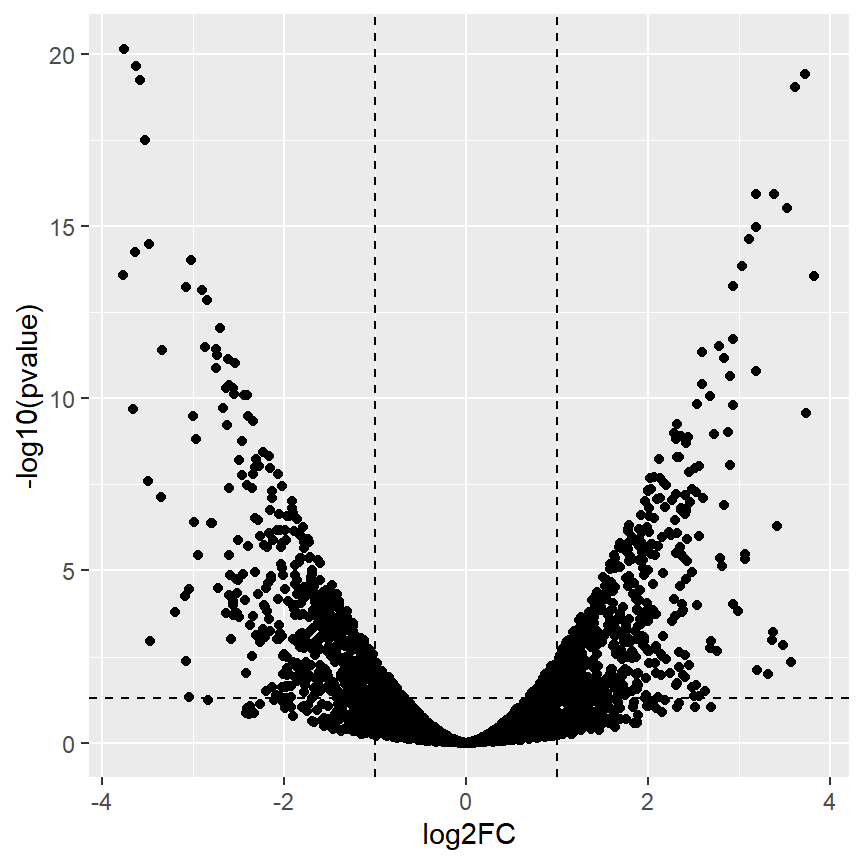
It is common to add reference lines to mark the thresholds used to consider a gene as differentially expressed. In this example we are using a fold change of 2 (a log2 fold change of -1 and 1) with geom_vline and a p-value of 0.05 with geom_hline. Note that the horizontal line must be placed at -log10(0.05).
ggplot(df, aes(x = log2FC, y = -log10(pvalue))) +
  geom_point() +
  geom_vline(xintercept = c(-1, 1), linetype = "dashed") +
  geom_hline(yintercept = -log10(0.05), linetype = "dashed")
Color the up and down regulated genes
The most useful customization of a volcano plot is coloring the significant genes. For that purpose you will need to create a new column classifying each gene as up regulated, down regulated or not significant based on the thresholds.
df$diffexp <- "Not significant"
df$diffexp[df$log2FC > 1 & df$pvalue < 0.05] <- "Up"
df$diffexp[df$log2FC < -1 & df$pvalue < 0.05] <- "Down"
Then, pass the new column to the color argument of aes and choose the colors with scale_color_manual, using a named vector so each category always has the same color. Check the guide about colors in ggplot2 for more options.
ggplot(df, aes(x = log2FC, y = -log10(pvalue), color = diffexp)) +
  geom_point() +
  geom_vline(xintercept = c(-1, 1), linetype = "dashed") +
  geom_hline(yintercept = -log10(0.05), linetype = "dashed") +
  scale_color_manual(values = c("Down" = "#2166AC",
                                "Not significant" = "grey75",
                                "Up" = "#B2182B"))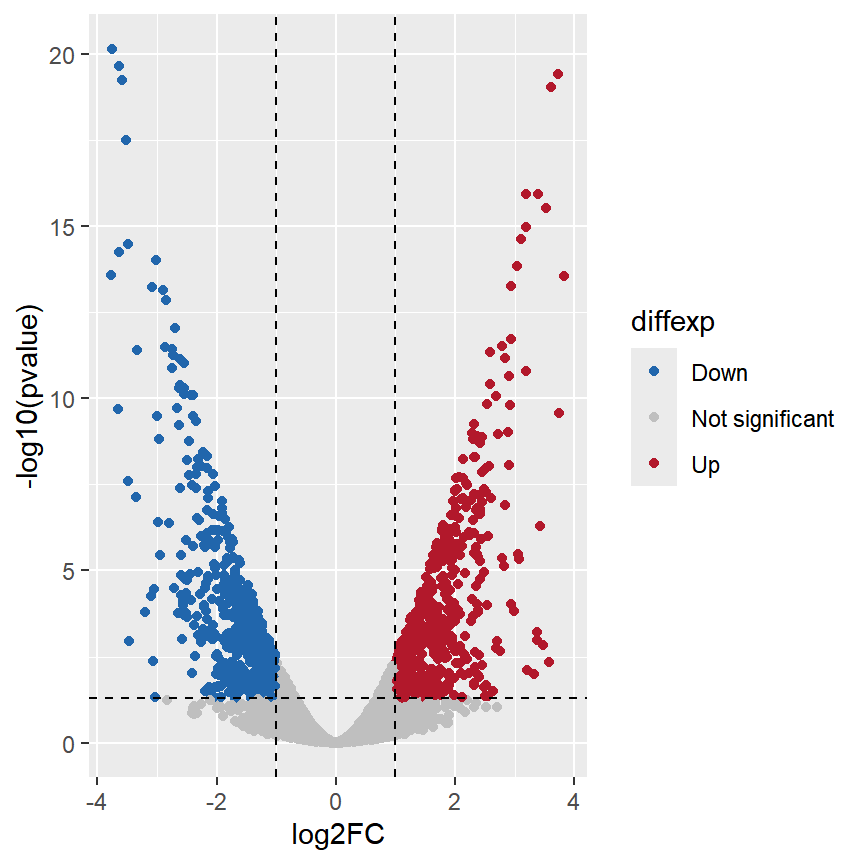
Label the top genes
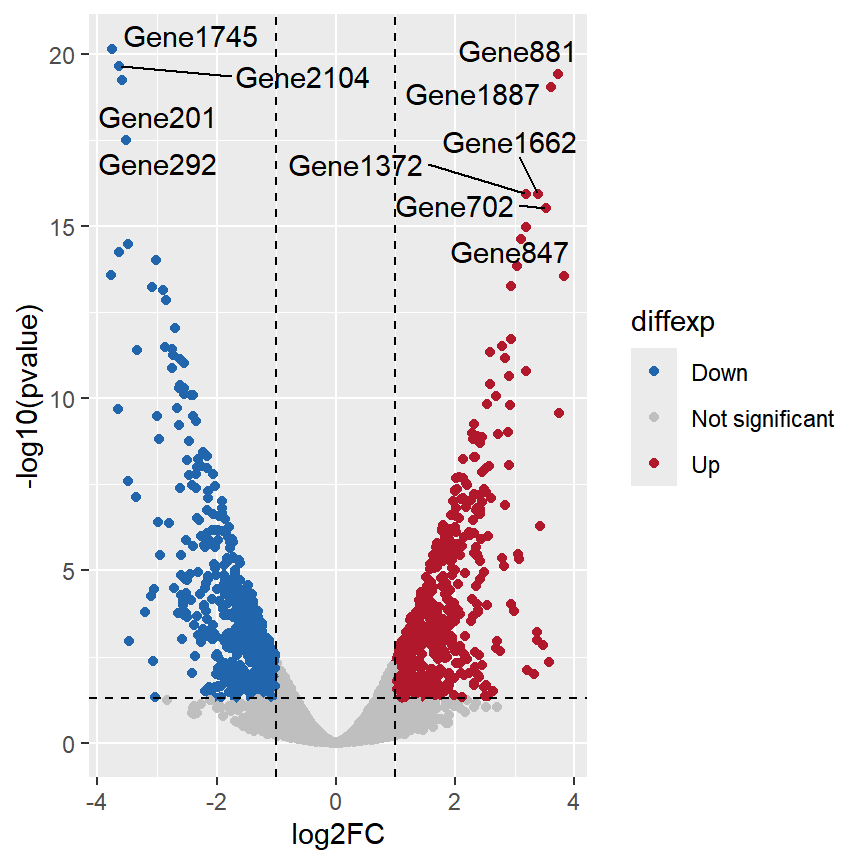
Labeling all the genes would make the plot unreadable, so the usual approach is to label only the most significant genes. Create a subset with the genes you want to label and pass it to the data argument of geom_text_repel from the ggrepel package, which avoids the overlapping of the text labels.
# install.packages("ggrepel")
library(ggrepel)

top_genes <- head(df[order(df$pvalue), ], 10)

ggplot(df, aes(x = log2FC, y = -log10(pvalue), color = diffexp)) +
  geom_point() +
  geom_vline(xintercept = c(-1, 1), linetype = "dashed") +
  geom_hline(yintercept = -log10(0.05), linetype = "dashed") +
  geom_text_repel(data = top_genes, aes(label = gene),
                  color = "black", max.overlaps = Inf) +
  scale_color_manual(values = c("Down" = "#2166AC",
                                "Not significant" = "grey75",
                                "Up" = "#B2182B"))
Further customization
Finally, you can improve the look of the volcano plot reducing the size of the points, adding some transparency with alpha to see the overlapping genes, changing the theme and setting more descriptive axis titles. Note that expression allows writing the subscripts of the axis titles.
ggplot(df, aes(x = log2FC, y = -log10(pvalue), color = diffexp)) +
  geom_point(size = 1.5, alpha = 0.7) +
  geom_vline(xintercept = c(-1, 1), linetype = "dashed") +
  geom_hline(yintercept = -log10(0.05), linetype = "dashed") +
  geom_text_repel(data = top_genes, aes(label = gene),
                  color = "black", max.overlaps = Inf) +
  scale_color_manual(values = c("Down" = "#2166AC",
                                "Not significant" = "grey75",
                                "Up" = "#B2182B")) +
  theme_minimal() +
  theme(legend.position = "bottom") +
  labs(x = expression(log[2]~fold~change),
       y = expression(-log[10]~"p-value"),
       color = NULL)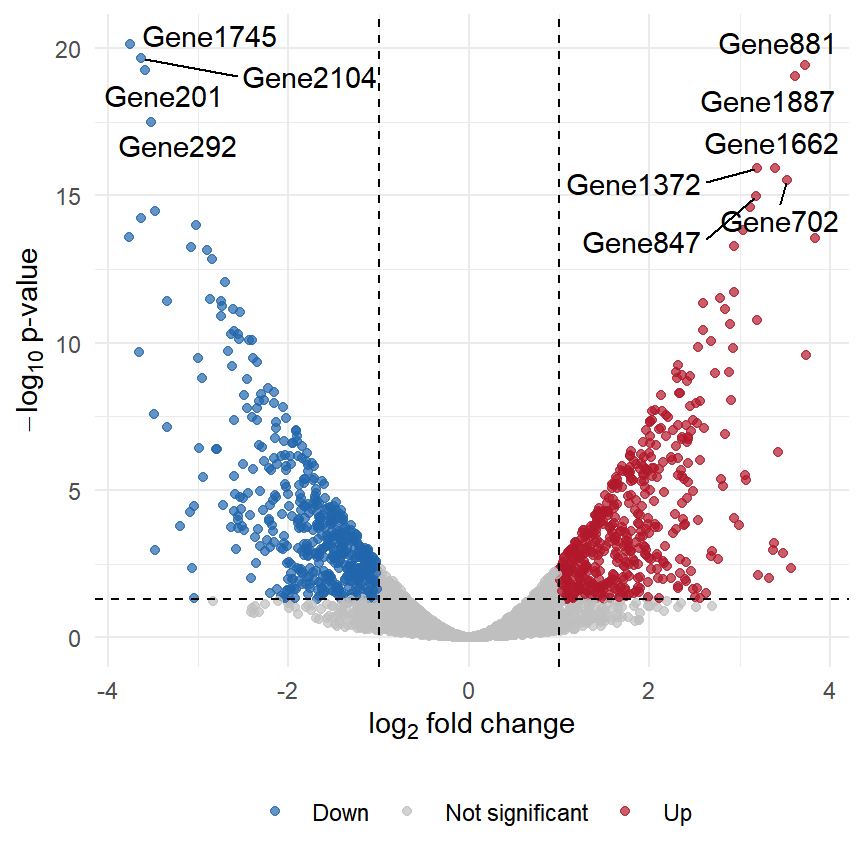
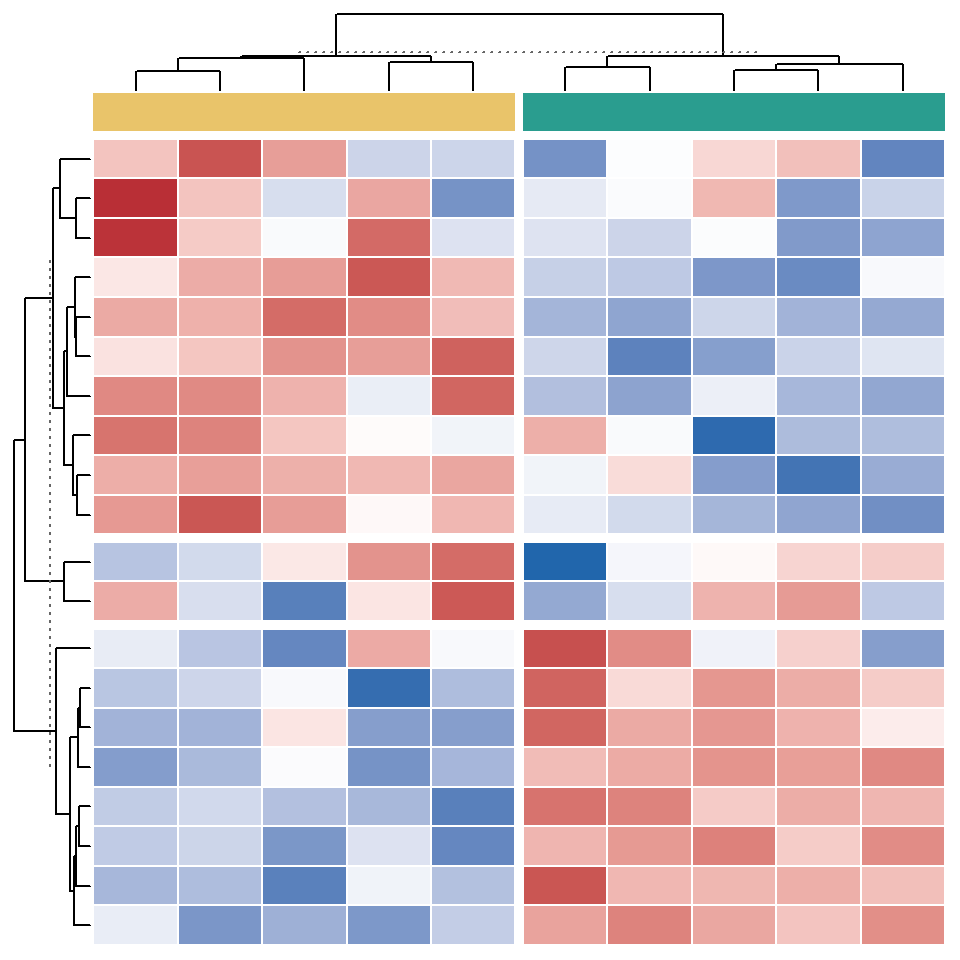
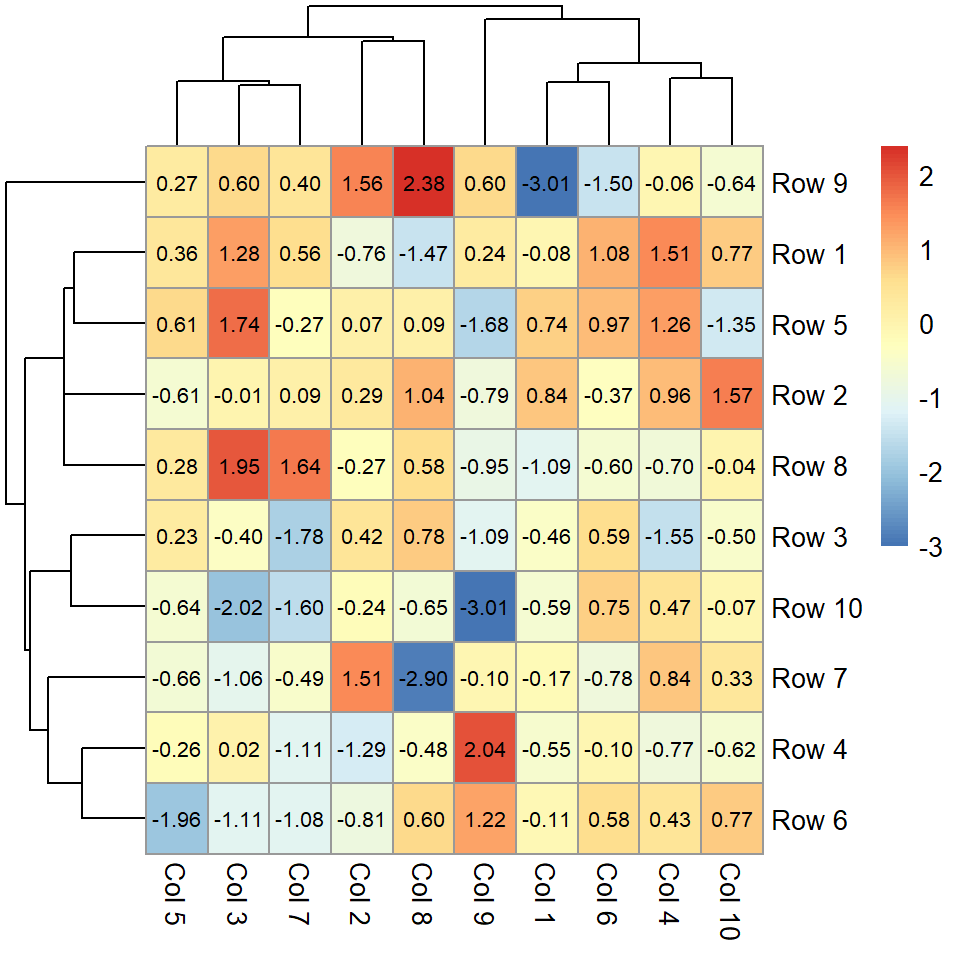
Once you have identified the differentially expressed genes you can visualize their expression across the samples with a clustered heat map.

Master Statistics
Learn statistics from the basics to advanced techniques, clearly explained
Go to site