Sample data
A Manhattan plot is a type of scatter plot used to display the results of a genome-wide association study (GWAS). Each point is a genetic variant (SNP), the X-axis represents its position along the chromosomes and the Y-axis the -log10 of its p-value, so the most significant variants appear as peaks, like the skyscrapers of Manhattan.
The data must contain a column with the chromosome (CHR), other with the position of the variant within the chromosome (BP) and other with the p-value (P). In this tutorial we are using simulated data for 22 chromosomes with two association peaks. The qqman package also provides a sample data set named gwasResults with the same structure.
set.seed(3)
gwas <- do.call(rbind, lapply(1:22, function(chr) {
  n <- 2500 - chr * 40
  data.frame(SNP = paste0("rs", chr, sprintf("%04d", 1:n)),
             CHR = chr,
             BP = sort(round(runif(n, 1, (200 - chr * 3) * 1e6))),
             P = runif(n))
}))
Cumulative position of the variants
The positions of the variants restart at the beginning of each chromosome, so in order to place all the chromosomes one after the other along the X-axis you will need to calculate a cumulative position. For that purpose, compute the length of each chromosome and add the length of all the previous chromosomes to the position of each variant.
# install.packages("dplyr")
library(dplyr)

gwas_cum <- gwas |>
  group_by(CHR) |>
  summarise(max_bp = max(BP)) |>
  mutate(bp_add = lag(cumsum(as.numeric(max_bp)), default = 0)) |>
  select(CHR, bp_add)

gwas <- gwas |>
  inner_join(gwas_cum, by = "CHR") |>
  mutate(BP_cum = BP + bp_add)
In addition, calculate the center of each chromosome, as you will need it to place the labels of the X-axis.
axis_set <- gwas |>
  group_by(CHR) |>
  summarize(center = mean(BP_cum))
Basic Manhattan plot
Now you can create the Manhattan plot passing the cumulative position to x and -log10(P) to y. In order to differentiate the chromosomes it is common to alternate two colors, which can be achieved passing CHR %% 2 (the remainder of dividing the number of the chromosome by two) to color.
ggplot(gwas, aes(x = BP_cum, y = -log10(P), color = as.factor(CHR %% 2))) +
  geom_point() +
  scale_color_manual(values = c("#264653", "#2A9D8F"))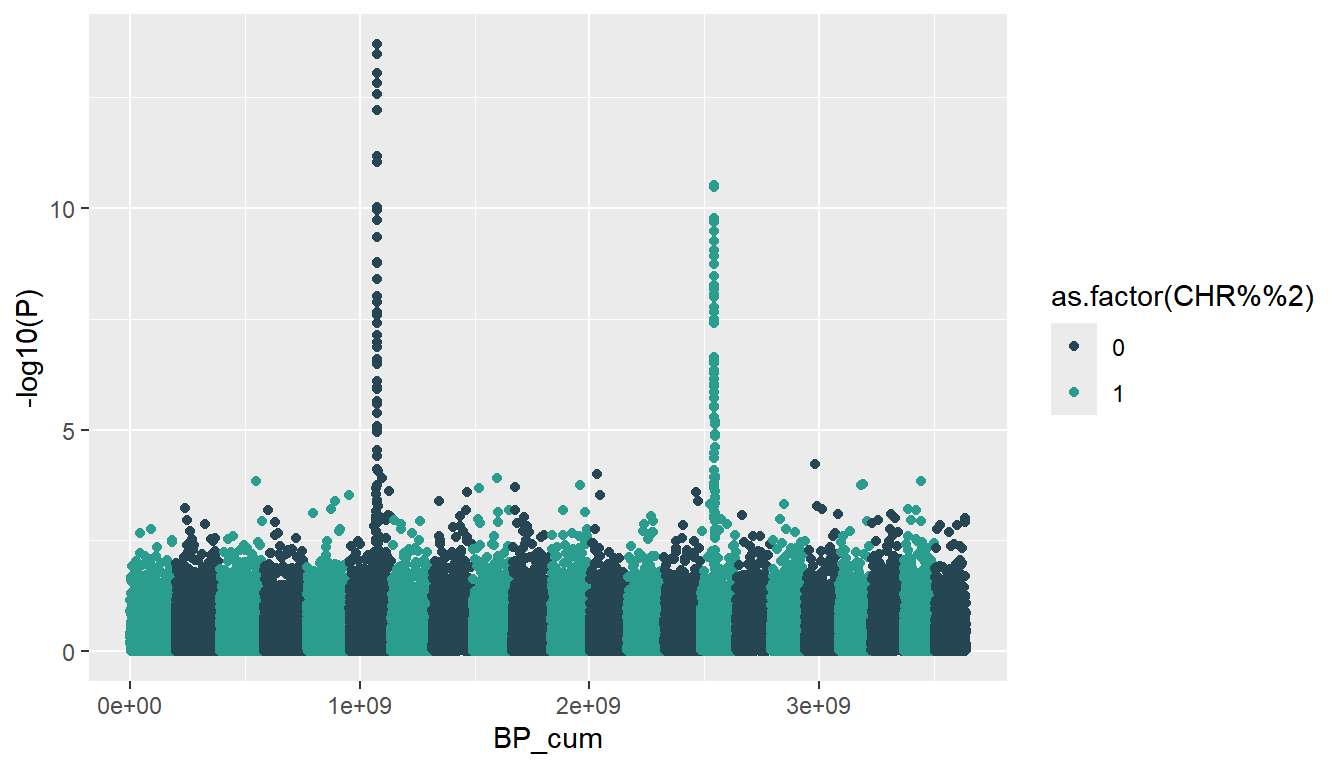
Chromosome labels on the X-axis
The X-axis of the previous plot shows the cumulative positions, which are not meaningful. You can replace them with the number of each chromosome passing the centers we calculated before to the breaks argument of scale_x_continuous and the chromosomes to labels. See the guide about the axes in ggplot2 for more customization options.
ggplot(gwas, aes(x = BP_cum, y = -log10(P), color = as.factor(CHR %% 2))) +
  geom_point() +
  scale_color_manual(values = c("#264653", "#2A9D8F")) +
  scale_x_continuous(breaks = axis_set$center, labels = axis_set$CHR)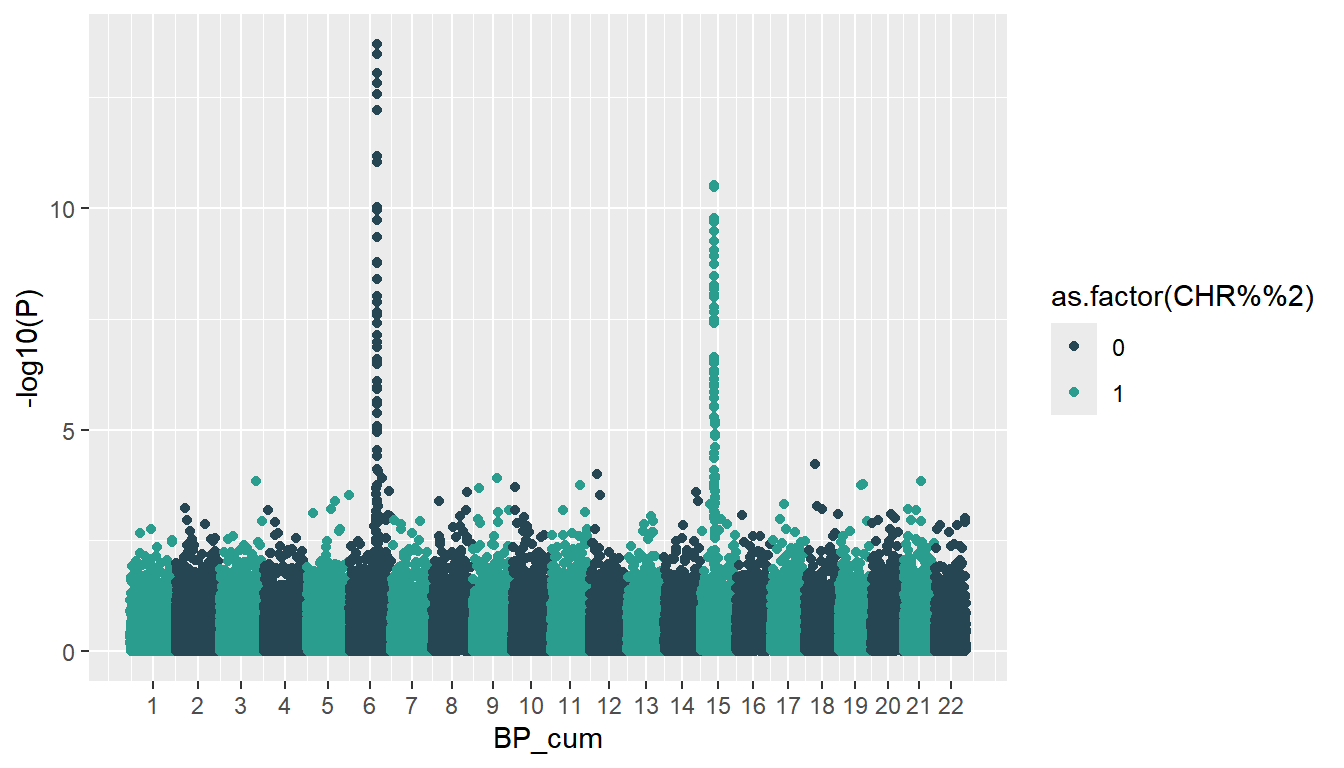
Significance lines
The genome-wide significance threshold is usually set at a p-value of 5e-8 and the suggestive threshold at 1e-5. You can add both of them as horizontal lines with geom_hline, remembering to transform them with -log10.
ggplot(gwas, aes(x = BP_cum, y = -log10(P), color = as.factor(CHR %% 2))) +
  geom_point() +
  geom_hline(yintercept = -log10(5e-8), color = "#E76F51", linetype = "dashed") +
  geom_hline(yintercept = -log10(1e-5), color = "grey50", linetype = "dashed") +
  scale_color_manual(values = c("#264653", "#2A9D8F")) +
  scale_x_continuous(breaks = axis_set$center, labels = axis_set$CHR)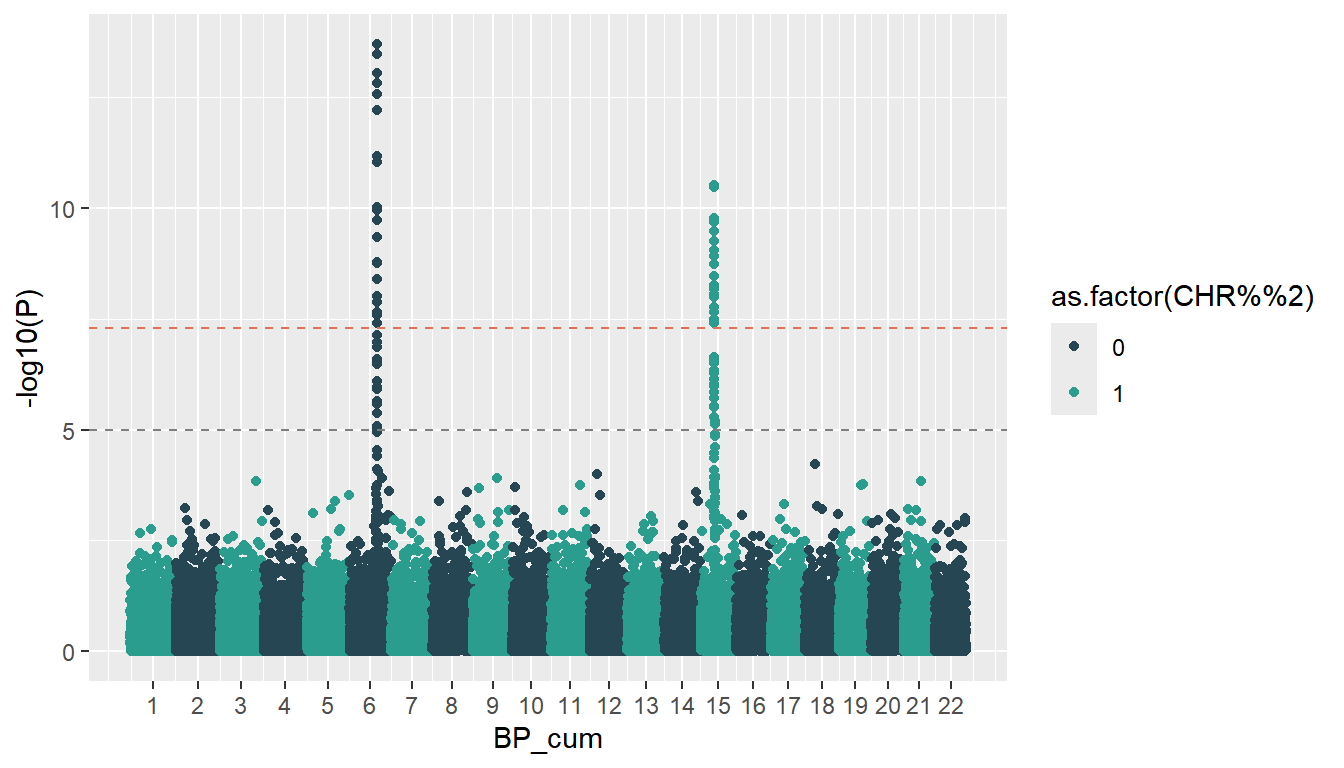
Label the top SNPs
In order to label the most significant variants, filter the ones above the genome-wide threshold and keep the top one of each chromosome. Then, add their names with geom_text_repel from the ggrepel package, which avoids the overlapping of the text labels.
# install.packages("ggrepel")
library(ggrepel)

top_snps <- gwas |>
  filter(P < 5e-8) |>
  group_by(CHR) |>
  slice_min(P, n = 1)

ggplot(gwas, aes(x = BP_cum, y = -log10(P), color = as.factor(CHR %% 2))) +
  geom_point() +
  geom_hline(yintercept = -log10(5e-8), color = "#E76F51", linetype = "dashed") +
  geom_hline(yintercept = -log10(1e-5), color = "grey50", linetype = "dashed") +
  geom_text_repel(data = top_snps, aes(label = SNP),
                  color = "black", nudge_y = 1) +
  scale_color_manual(values = c("#264653", "#2A9D8F")) +
  scale_x_continuous(breaks = axis_set$center, labels = axis_set$CHR)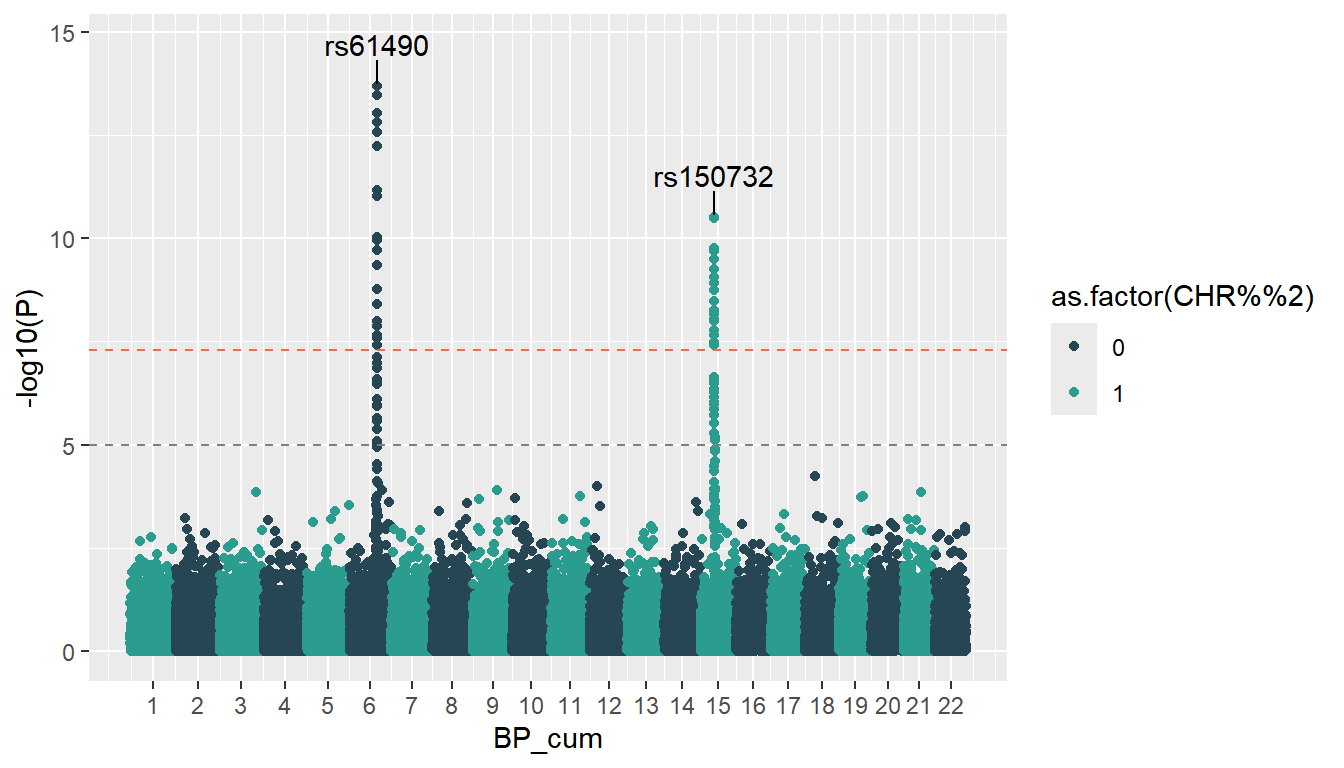
Further customization
Finally, you can remove the legend, which is not informative, remove the vertical grid lines with the theme function, start the Y-axis at zero with expand and set the axis titles. Note that expression allows writing the subscript of the Y-axis title.
ggplot(gwas, aes(x = BP_cum, y = -log10(P), color = as.factor(CHR %% 2))) +
  geom_point(size = 0.8) +
  geom_hline(yintercept = -log10(5e-8), color = "#E76F51", linetype = "dashed") +
  geom_hline(yintercept = -log10(1e-5), color = "grey50", linetype = "dashed") +
  geom_text_repel(data = top_snps, aes(label = SNP),
                  color = "black", nudge_y = 1) +
  scale_color_manual(values = c("#264653", "#2A9D8F")) +
  scale_x_continuous(breaks = axis_set$center, labels = axis_set$CHR) +
  scale_y_continuous(expand = c(0, 0), limits = c(0, 16)) +
  theme_minimal() +
  theme(legend.position = "none",
        panel.grid.major.x = element_blank(),
        panel.grid.minor = element_blank()) +
  labs(x = "Chromosome", y = expression(-log[10]~"p-value"))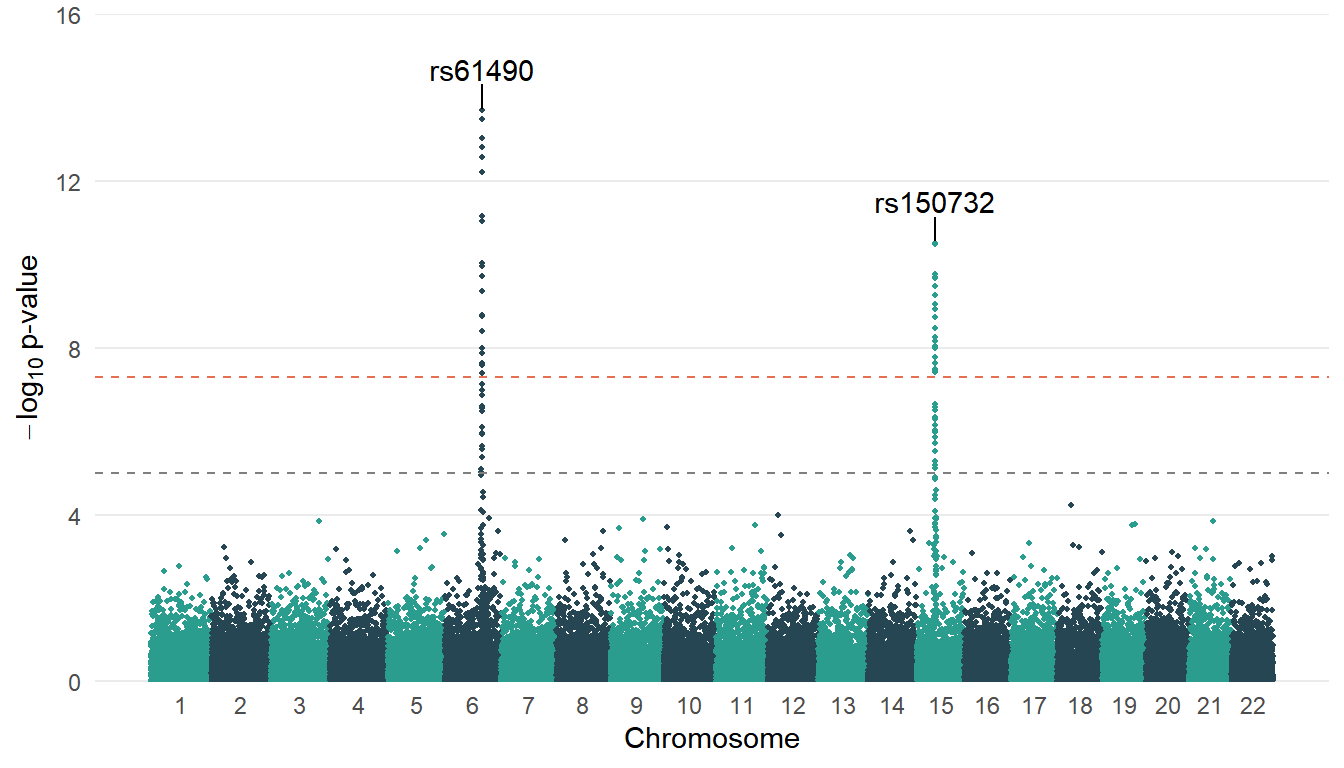
Manhattan plot with qqman
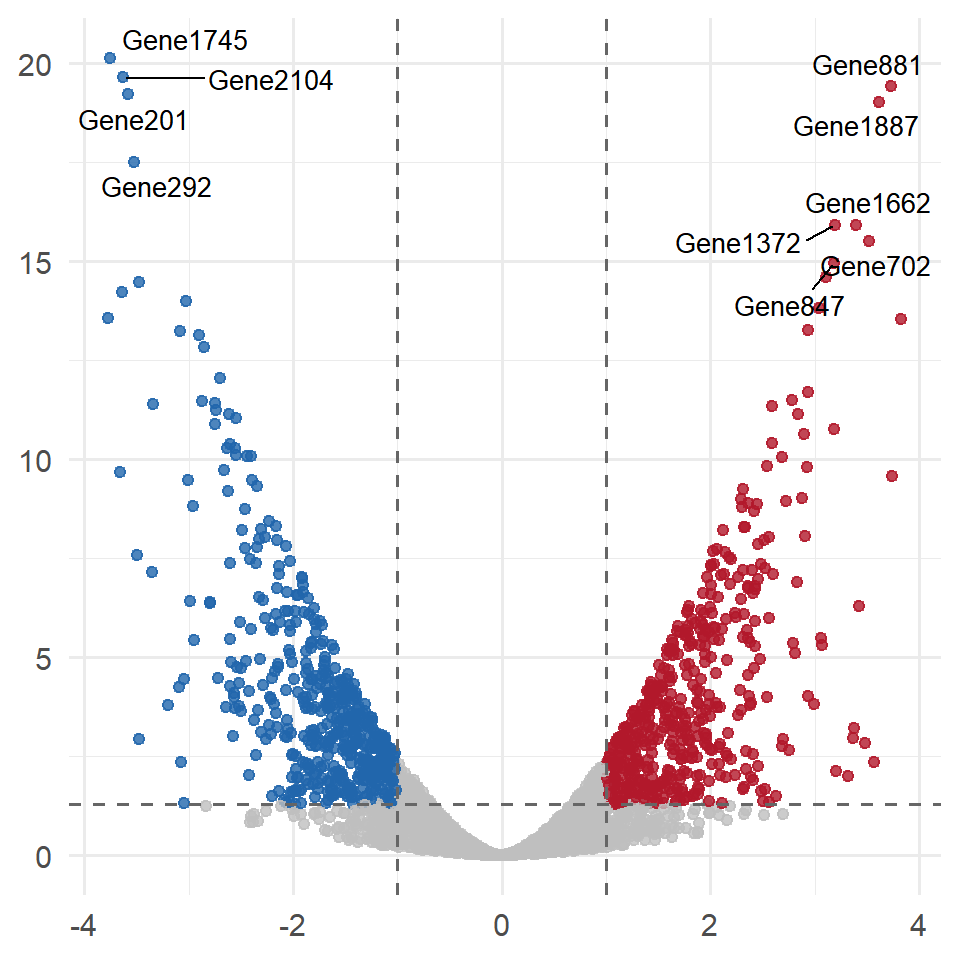
If you need a quick Manhattan plot you can also use the manhattan function of the qqman package, which only needs the CHR, BP, P and SNP columns and adds the significance lines automatically. However, ggplot2 provides more flexibility to customize the result. You can also use a volcano plot if you need to visualize the results of a differential expression analysis instead.
# install.packages("qqman")
library(qqman)

manhattan(gwas, chr = "CHR", bp = "BP", p = "P", snp = "SNP")
Master Statistics
Learn statistics from the basics to advanced techniques, clearly explained
Go to site